Knowledge Base: chip-quality know-how inside The Chip Lab
When a chip-quality number moves, the next question is usually what to do about it — and the answer tends to live in a binder, a shared drive, or the head of the person who has been at the mill longest. Standard procedures for pulling a sample, what a chipper adjustment looks like, how a screen problem shows up in the data: that knowledge matters most at the moment someone is looking at the numbers, and it is rarely there.
The Knowledge Base puts it there. It is a library inside The Chip Lab, next to your mill's samples, suppliers and reports, that holds chip-quality know-how and product help written by The Chip Lab, alongside the articles and SOPs your own team writes.
The Knowledge Base is an optional module. It is available to mills that have it switched on; if your mill does not, it does not appear in the app.
Where it lives
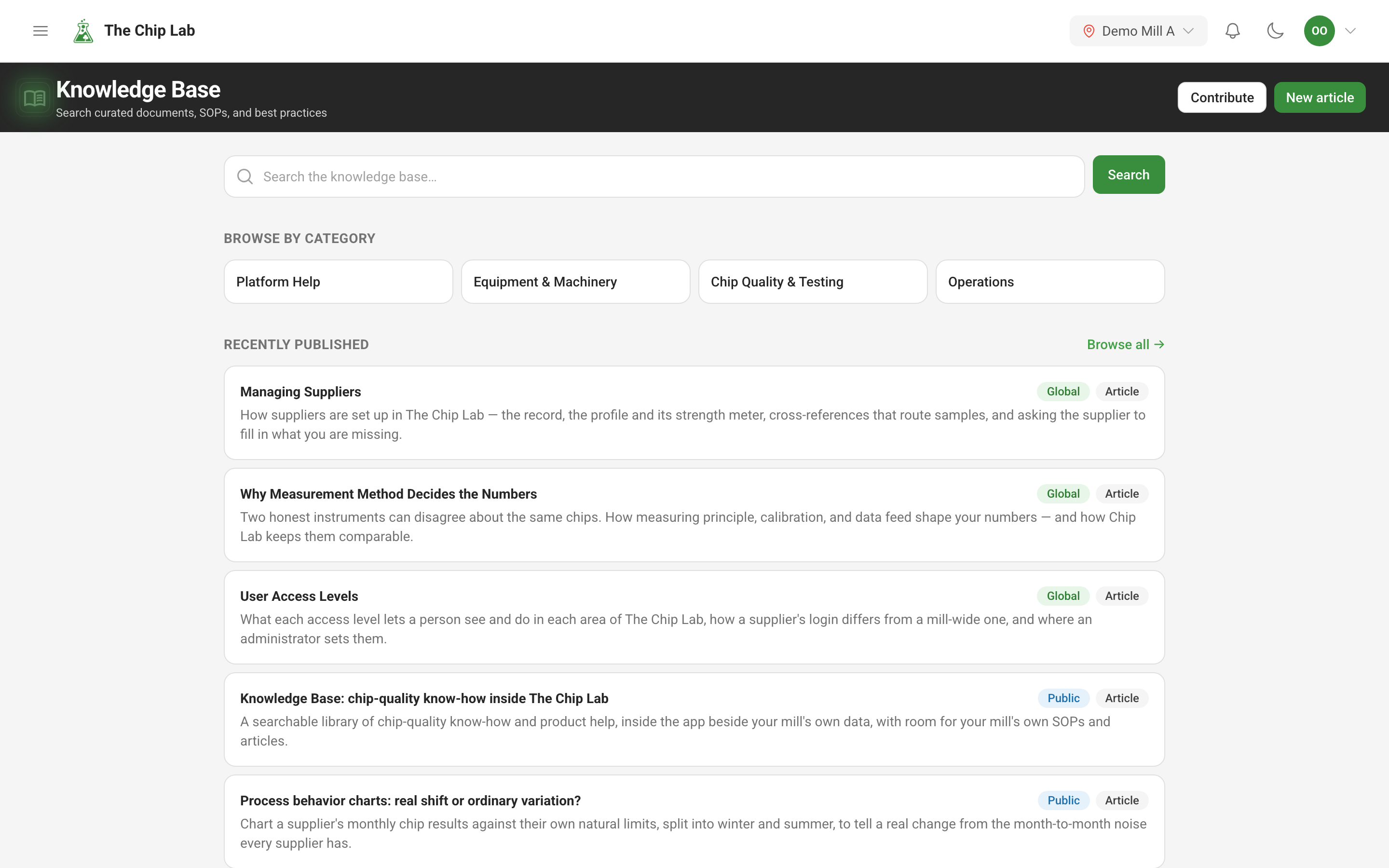
In the sidebar, under Knowledge & AI, open Knowledge Base. Reading it needs the Knowledge Base permission on your user account at Viewer or above. Writing your mill's own articles in the editor needs it at Editor or above.
The landing page opens with a search box, a Browse by category grid, and a Recently published list. Browse all → opens the full library, where results can be narrowed by Type, Category and Tags, and every search is a link you can bookmark or send to a colleague.
Three kinds of content, one search
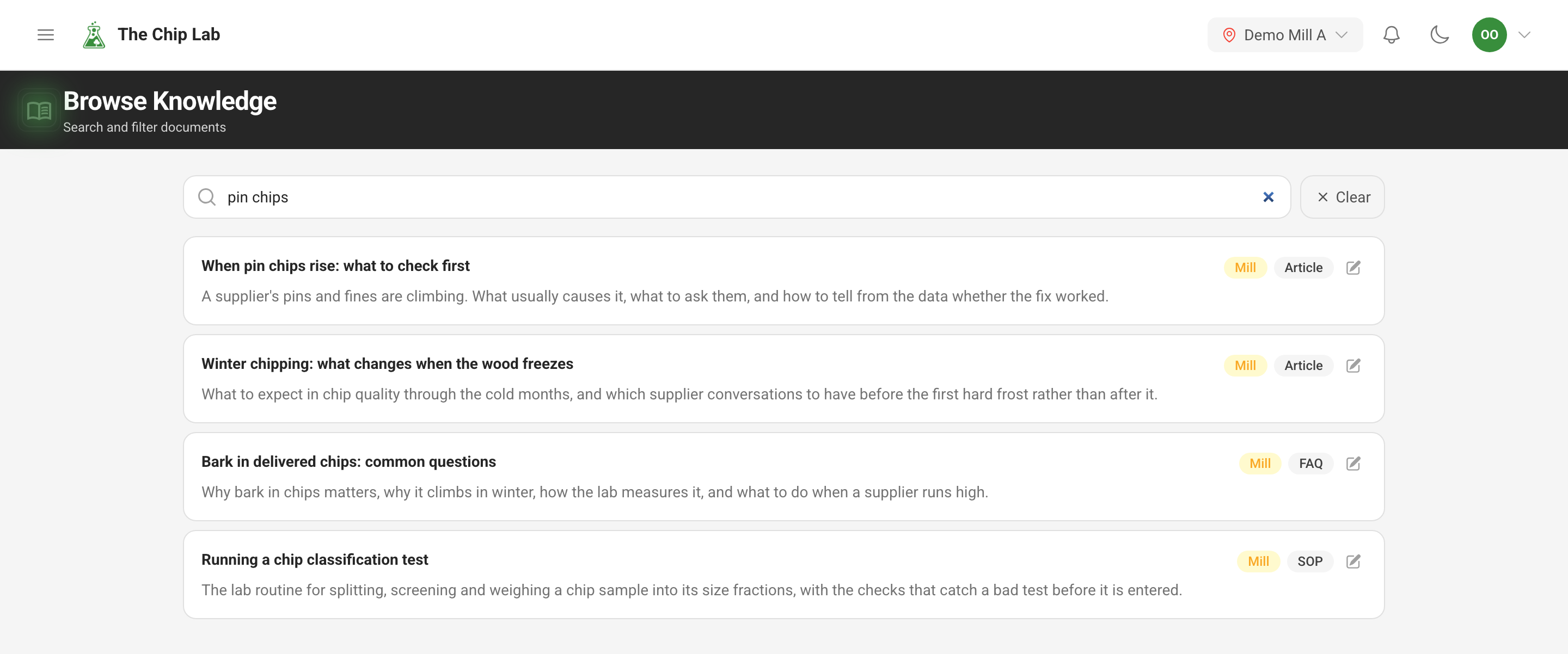
Every result carries a badge that says where it comes from.
- Global — written by The Chip Lab for every mill with the Knowledge Base: chip-quality practice and help with the platform itself.
- Mill — written by your own team for your mill. Only people at your mill with Knowledge Base access see it.
- Public — the articles on our public docs site, including the industry briefings. They open on the docs site rather than inside the app.
So one search answers both "how do we usually handle this here" and "what does good practice say", without anyone having to remember which shelf it is on.
Reading an article
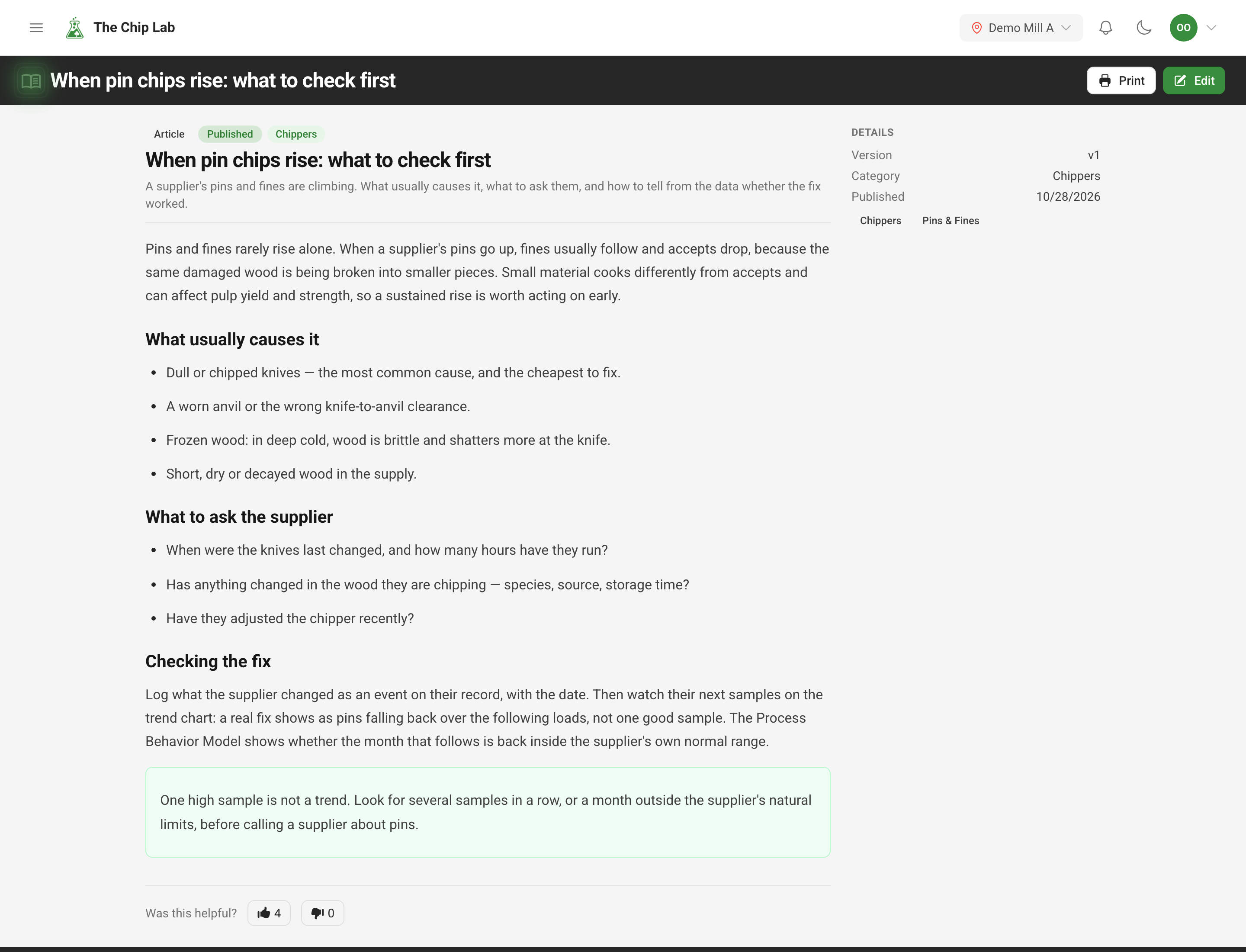
An article opens with its type, category and status at the top and the body below — text, tables, images and video, callouts for the things that must not be missed, and question-and-answer pairs. The side panel shows the version and publish date, the tags, the Sources an article cites, and Related documents from the same category. Print produces a clean copy for the control room wall or the training folder, and Was this helpful? at the foot of every article tells the author whether it did its job.
Writing your mill's own articles
New article opens the editor. Choose a type — Article, FAQ or SOP — give it a title, a summary, a category and tags, and write. The editor works like a document rather than a form: alongside headings, lists and formatting, you can drop in images, video, file attachments, tables, callouts, question-and-answer pairs and citations. Every file you upload is checked for viruses: while the check runs, readers see Scanning… in its place, and a file found to carry a threat is blocked and can never be opened.
Your work is saved as a draft while you write and stays out of everyone else's sight until you press Publish. Once an article is published, later changes are saved to it as you write. An article written here is filed under your mill and stays inside the app; it is never published to the public docs site.
People who should be able to suggest an article without writing one in the editor can be given Contribute: a short form for a quick article or a single question and answer. Sent by someone without editing rights, it goes in for review before it appears in the library.
How the public docs relate to the library
The docs site you are reading is open to anyone, with no account. It explains what the platform does and carries the industry briefings. The Knowledge Base is the gated library behind the login: the deeper material, your mill's own procedures, and the product help your team needs while using the app. The public articles appear in its search too, so nobody has to look in two places.
Read next
- The Chip Lab docs — every public article, by category.