
Supplier sampling rates and sample attribution
A supplier's quality number is only as good as the samples behind it. Two things quietly undermine it. A supplier that delivers a hundred loads and gets sampled four times has a number nobody should act on. And a sample filed under the wrong supplier — because the lab typed a slightly different name, or two records exist for one yard — makes one supplier look better and another worse than either really is.
The Chip Lab answers both: is every supplier sampled enough, and is every sample credited to the right one.
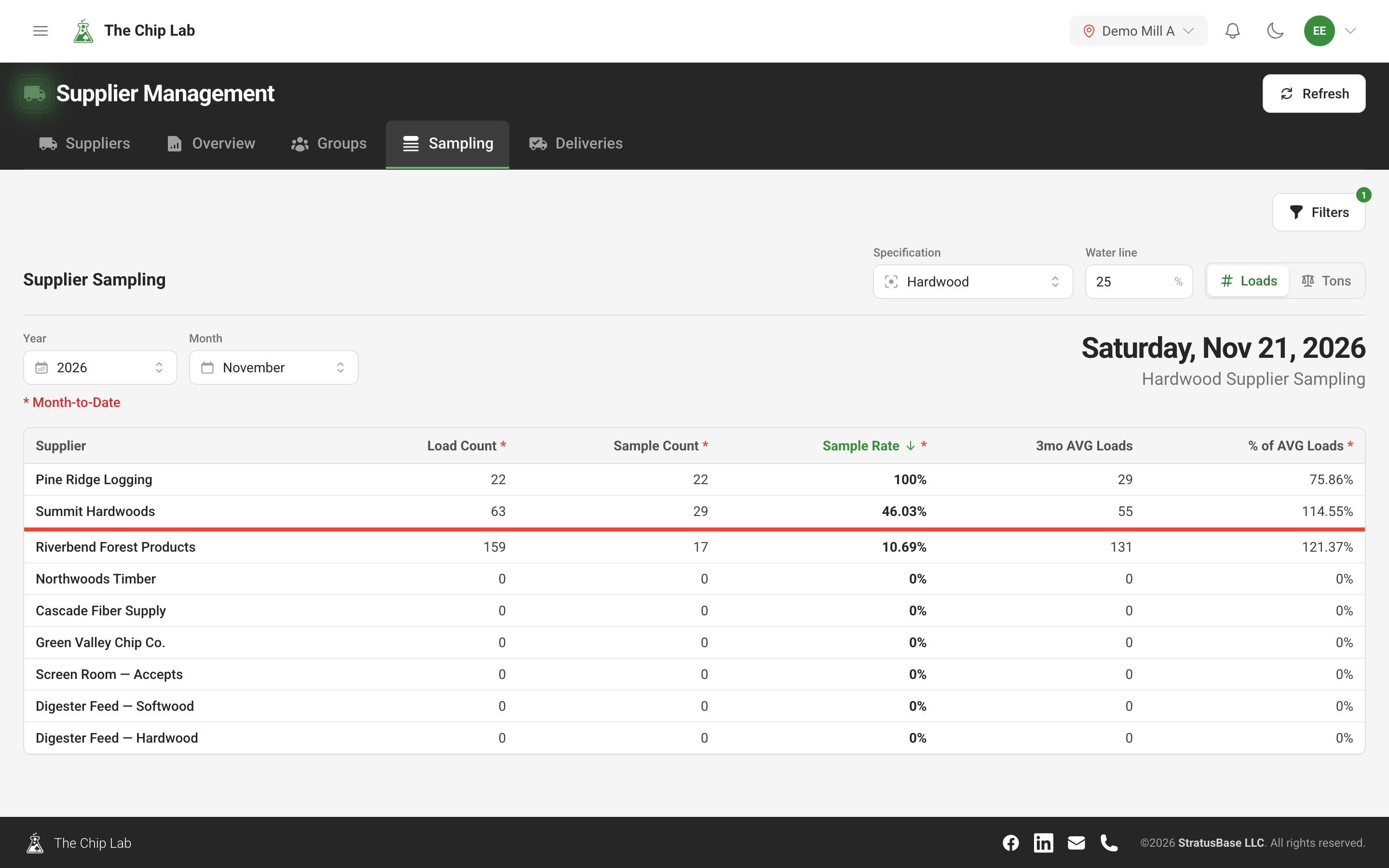
Is every supplier sampled enough?
Suppliers → Sampling ranks the mill's active suppliers by sample rate for one specification and one month. For each supplier it shows the Load Count (or Tons Delivered — the Loads / Tons switch decides), the Sample Count, the Sample Rate — samples as a percentage of loads — and the delivered volume against the supplier's three-month average, so a supplier delivering far more than usual stands out.
The Water line is the sample rate you expect. It starts at the specification's sampling-rate target and you can change it. A red line across the table marks where suppliers fall below it: their quality figures rest on too few samples. The current month is shown as Month-to-Date.
More samples than loads
A supplier with more samples than loads is a prompt to check attribution: samples or loads may be recorded under the wrong supplier — often one supplier split across two records, one collecting the loads and the other the samples.
At mills whose loads arrive in a daily feed, the Sampling tab flags it: a warning names each supplier with its counts — "N suppliers have more samples than loads" — and the supplier's sample count carries a mark with the detail. While the feed has not yet reached the period's last day, samples are only counted through the last day of loads received, less a day, so samples are compared with loads that have arrived; once it has, every sample in the period is compared. Purchased suppliers are always checked, and your own operations only if they record loads.
Linking incoming supplier names
Samples arrive from your lab or data feed under whatever name the operator or system used. A reference is one of those names, linked to a supplier, so that every sample carrying it lands on the right record. A supplier's References tab lists its names, how many samples each has carried and when each was created.

A name that matches nothing waits rather than being guessed at. Supplier Management shows a Pending button with a count whenever names are waiting; it opens a list of each name and the samples held under it. Select the right supplier in the grid and link the name — the waiting samples go with it — or create a new supplier from the name if it really is new. On the dashboard, account owners and administrators see the same count as Unlinked Suppliers, with a Link button that goes straight there.
A reference can also be tied to one of the supplier's chippers, so samples arriving under "… CHIPPER 1" from then on are attributed to that machine.
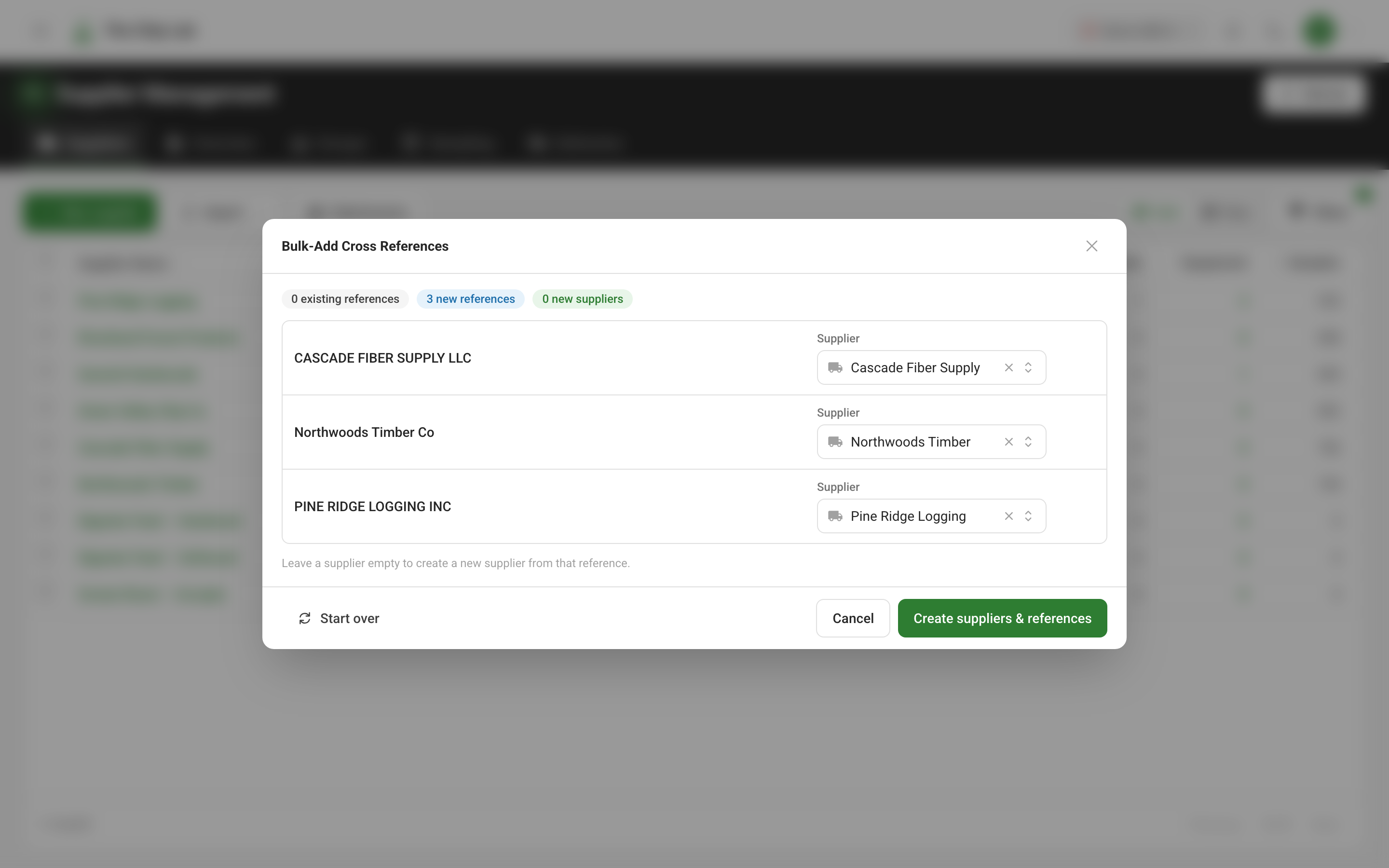
To set up many names at once, Import → Bulk-add cross references takes a pasted list and shows what it will create before anything is saved.
Contracts and delivery history
For people with the Financial Data permission, a supplier's Contracts tab lists the delivery contracts filed under it and how much delivery history each carries. A delivery's supplier comes from its contract, so a contract filed under the wrong supplier puts its tonnage in the wrong place. The tab warns when delivery rows from a contract are filed under another supplier, and Reassign moves the contract and every delivery row it converted to the right supplier — after showing you what would change. Reassigning needs the Financial Data permission at Reviewer or above.
Moving samples between suppliers
When samples have built up on the wrong record — a duplicate record created by mistake, say — they can be moved to the right supplier, with The Chip Lab team. Nothing changes until a preview has listed exactly which samples, and optionally which delivery history, would move. Samples are only ever moved onto an active supplier, each keeps the name it arrived under, and the move is recorded in the activity log of both suppliers.
Read next
- Supplier management — the supplier record, profile, map and groups.
- Ask the supplier — let suppliers complete their own profile.