
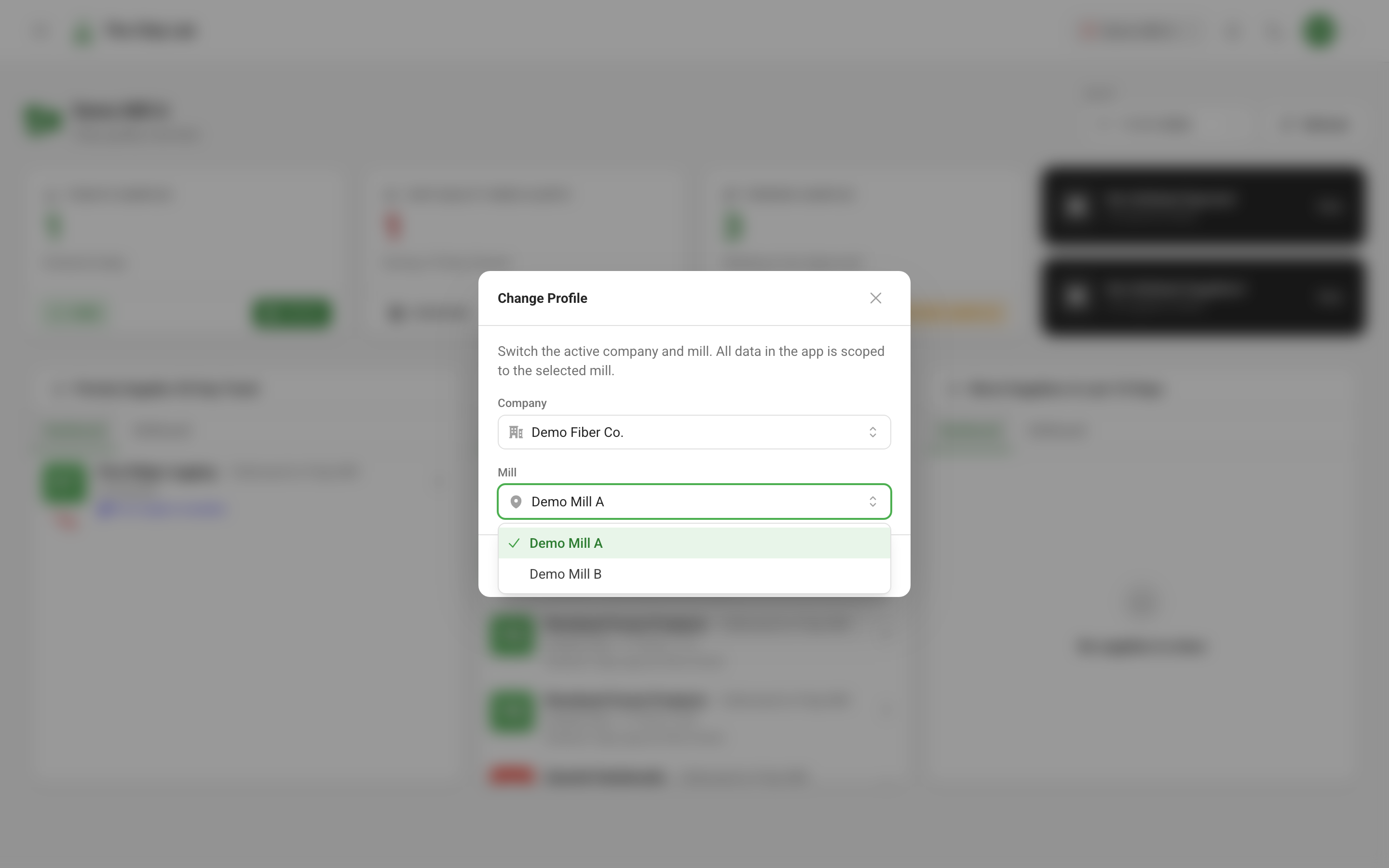
Your account: sign-in, passwords, mills and display
Sign in, reset a forgotten password with a live checklist, get a reminder before a password expires, switch between the mills you belong to, keep up with the notification bell, and work in a light or dark display.
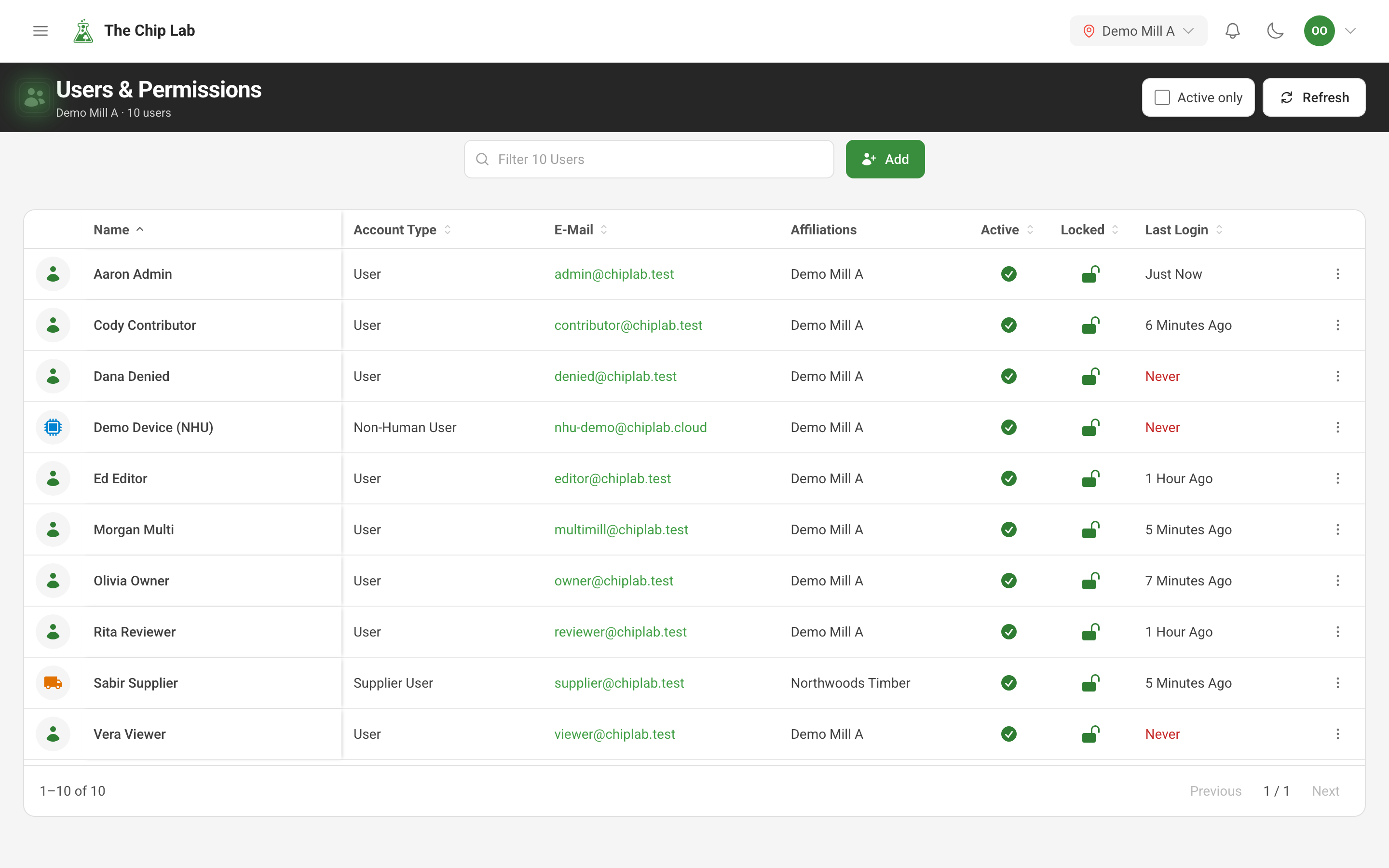
Users and role-based permissions for your mill
Give each person at your mill, and each supplier login, exactly the access they need, area by area. Each level is described in plain words, and nobody can give more access than they hold.
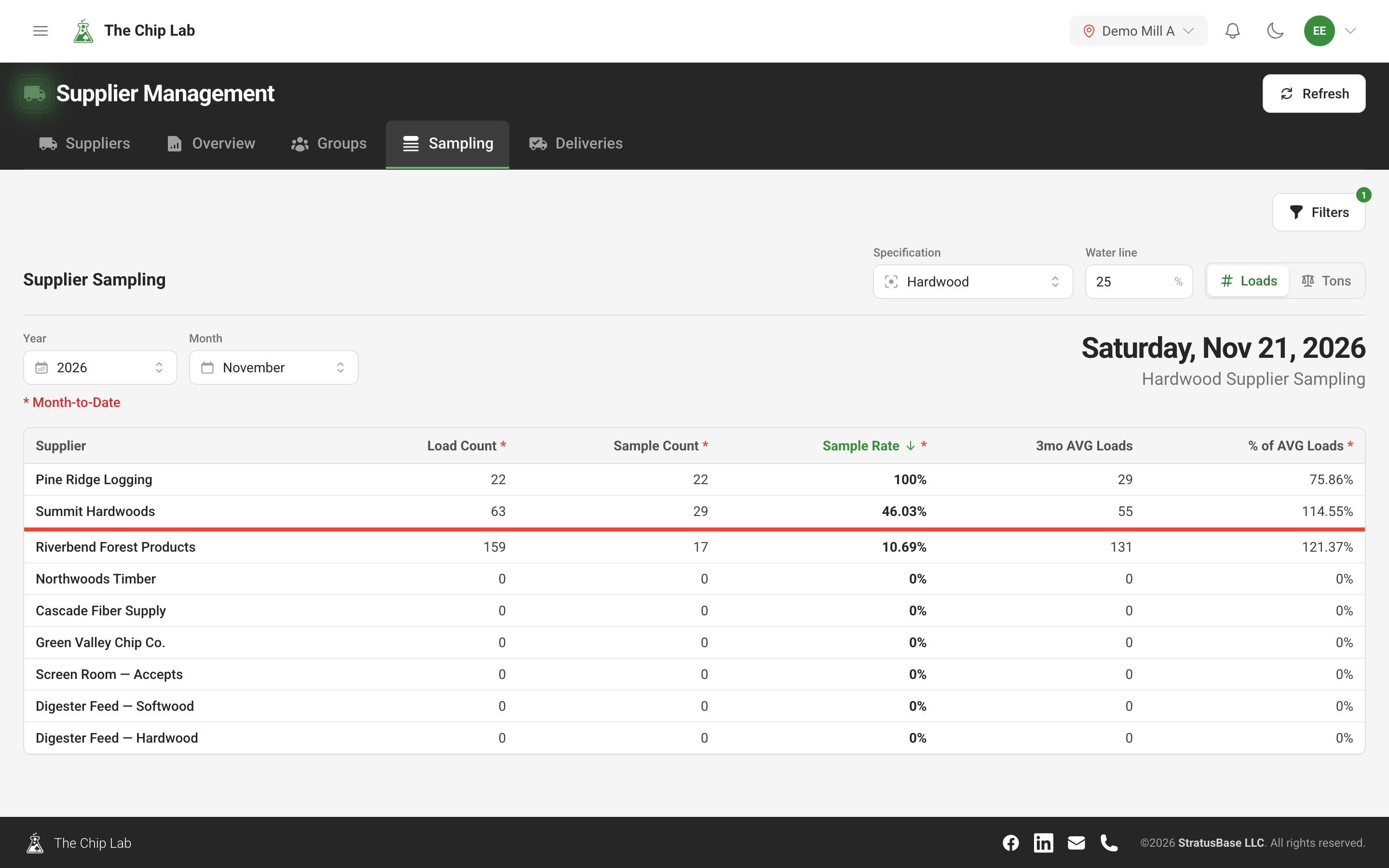
Supplier sampling rates and sample attribution
See which suppliers are sampled enough against the loads they deliver, catch samples or loads filed under the wrong supplier, and link every incoming supplier name to the right record.
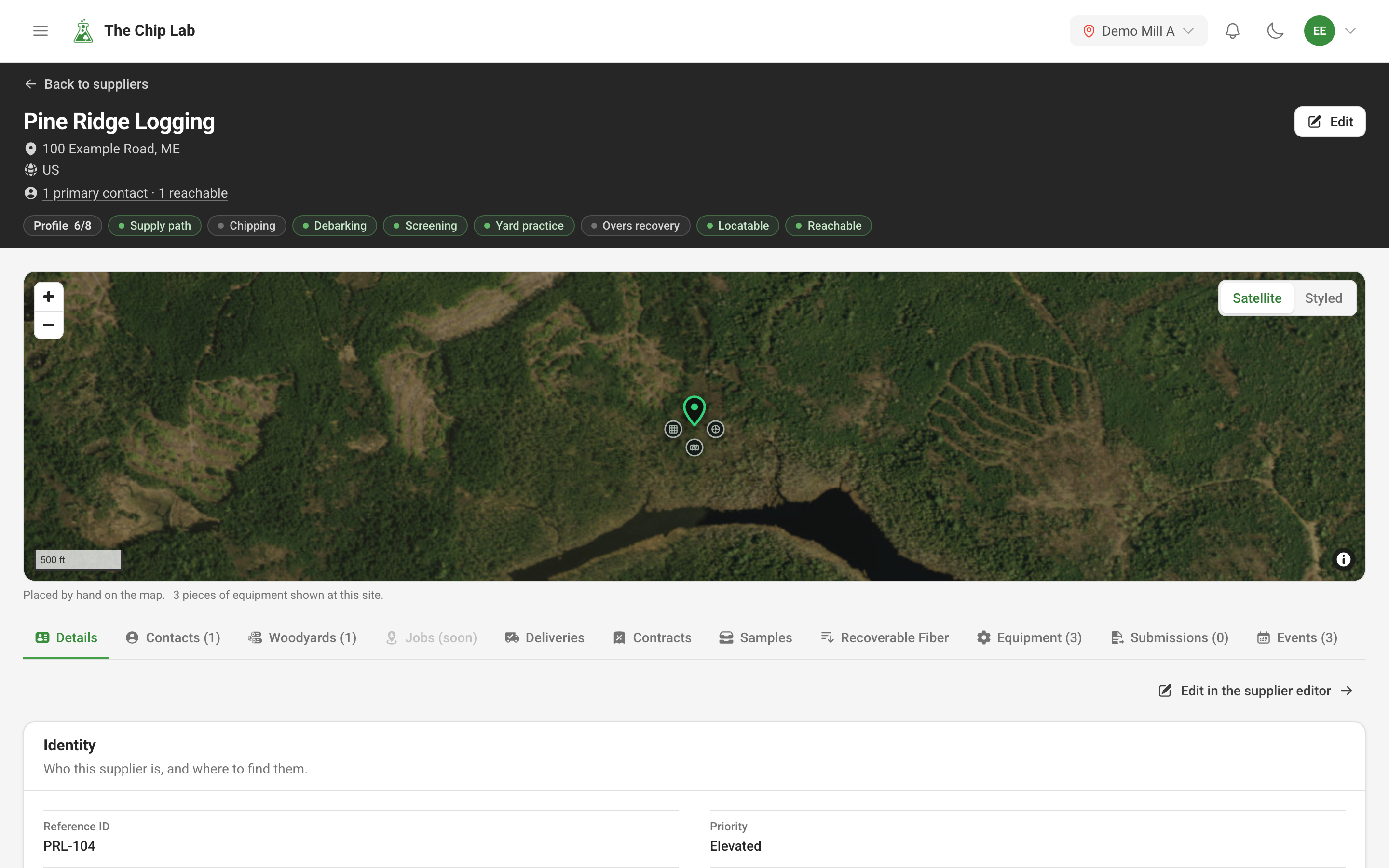
Supplier management: every source of fiber in one place
One record for every supplier that sends your mill fiber — who they are, how they supply, what they run and where they are — with a map, a profile-strength meter and month-by-month quality by supplier.
Supplier logins: your suppliers see their own chip quality
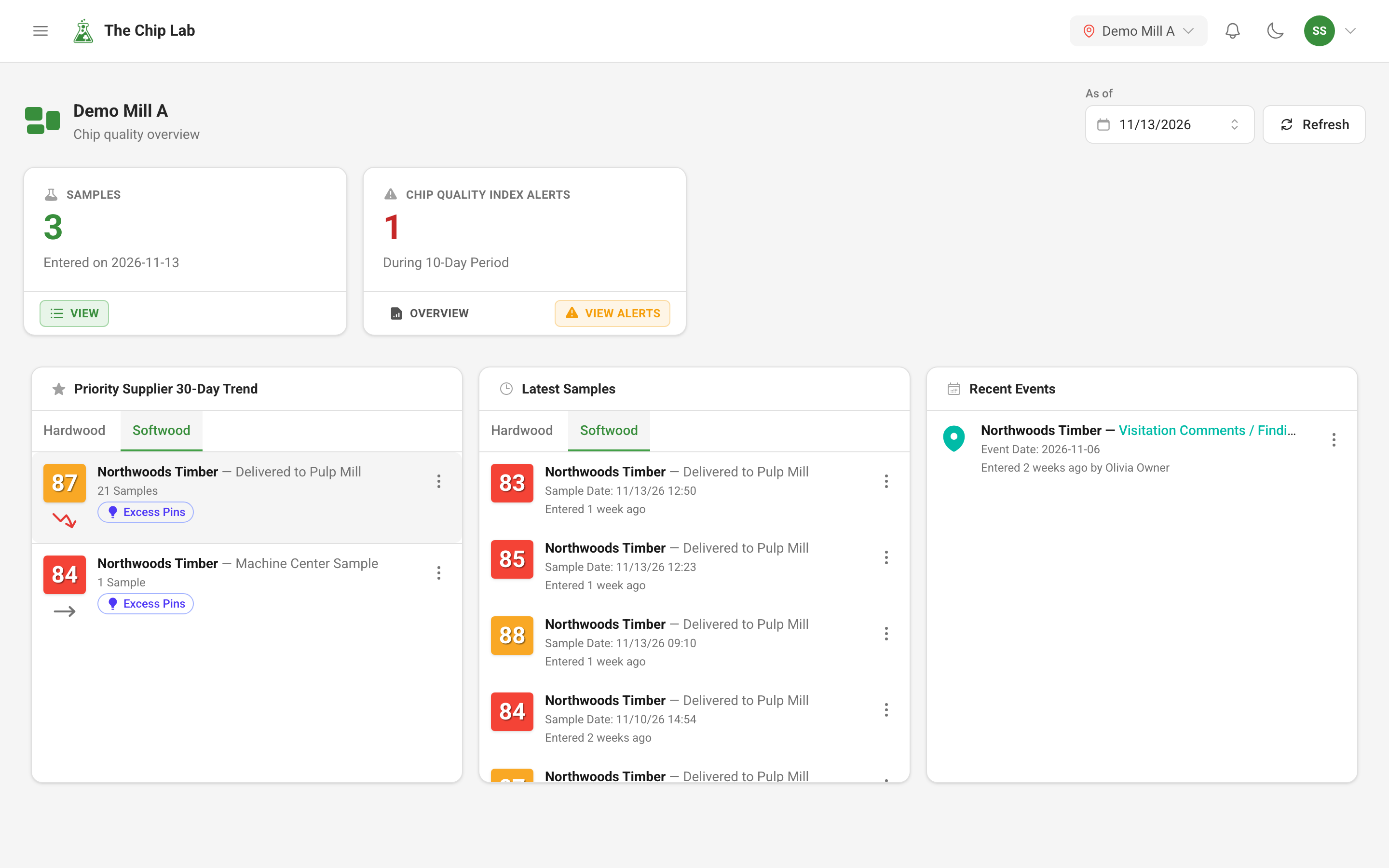
Give a supplier its own sign-in to your mill's Chip Lab. It sees the same dashboards, sample lists and quality reports your team uses, filled with its own samples only, and can enter samples and keep its own record current if you allow it.
Supplier groups: review and watch suppliers together
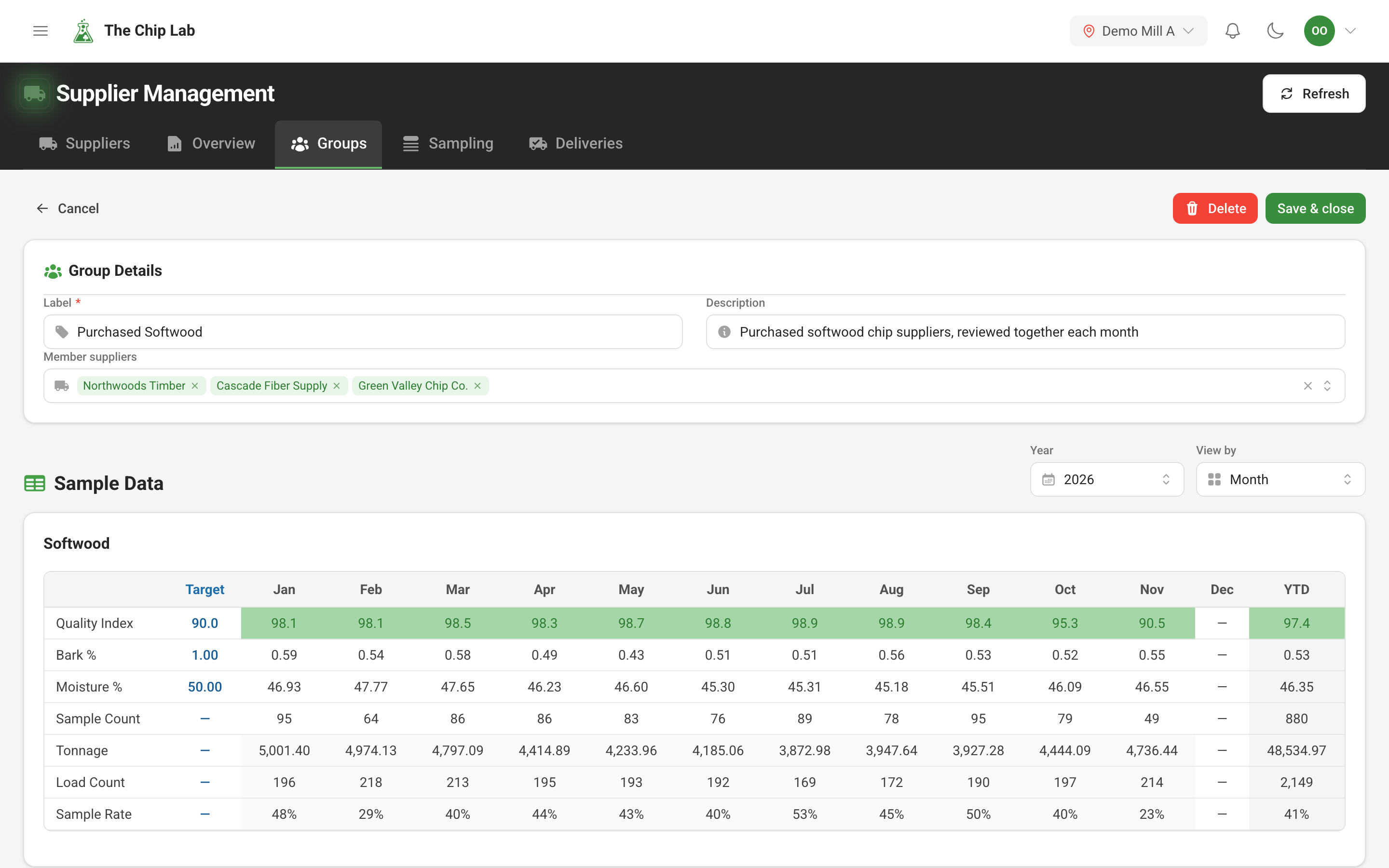
Put suppliers you review together into a named group — a region, a buying program, a product type. See the group's month-by-month quality, narrow the Samples and averages pages and the events log to it, and set an alarm that watches it.
Chip specifications: the targets your samples are rated against
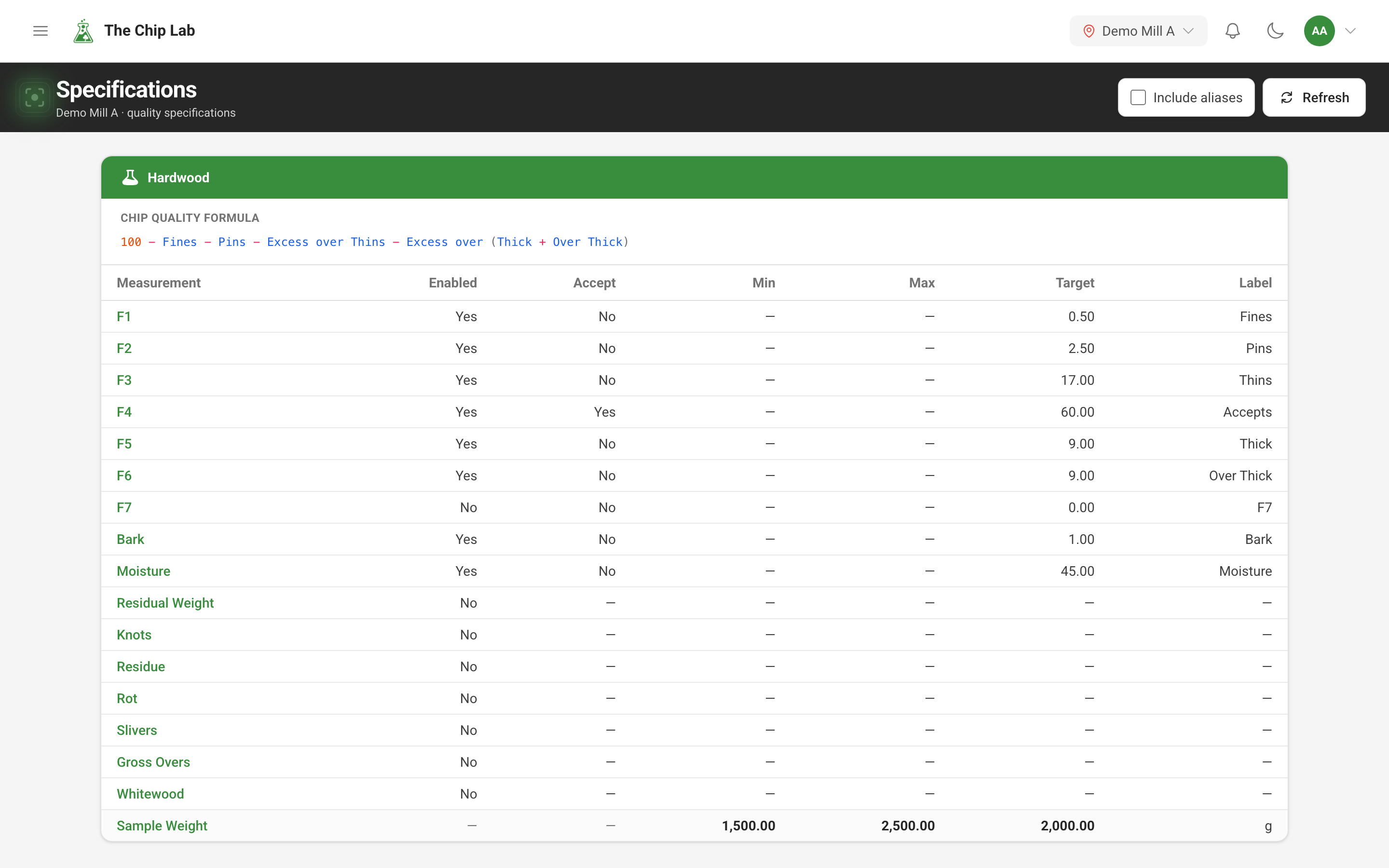
Chip specifications set up for your mill — its own quality formula, targets and limits, calculated values and supplier targets — and how samples, averages and suppliers are rated good, ok or poor against them.
Scheduled chip quality reports by email
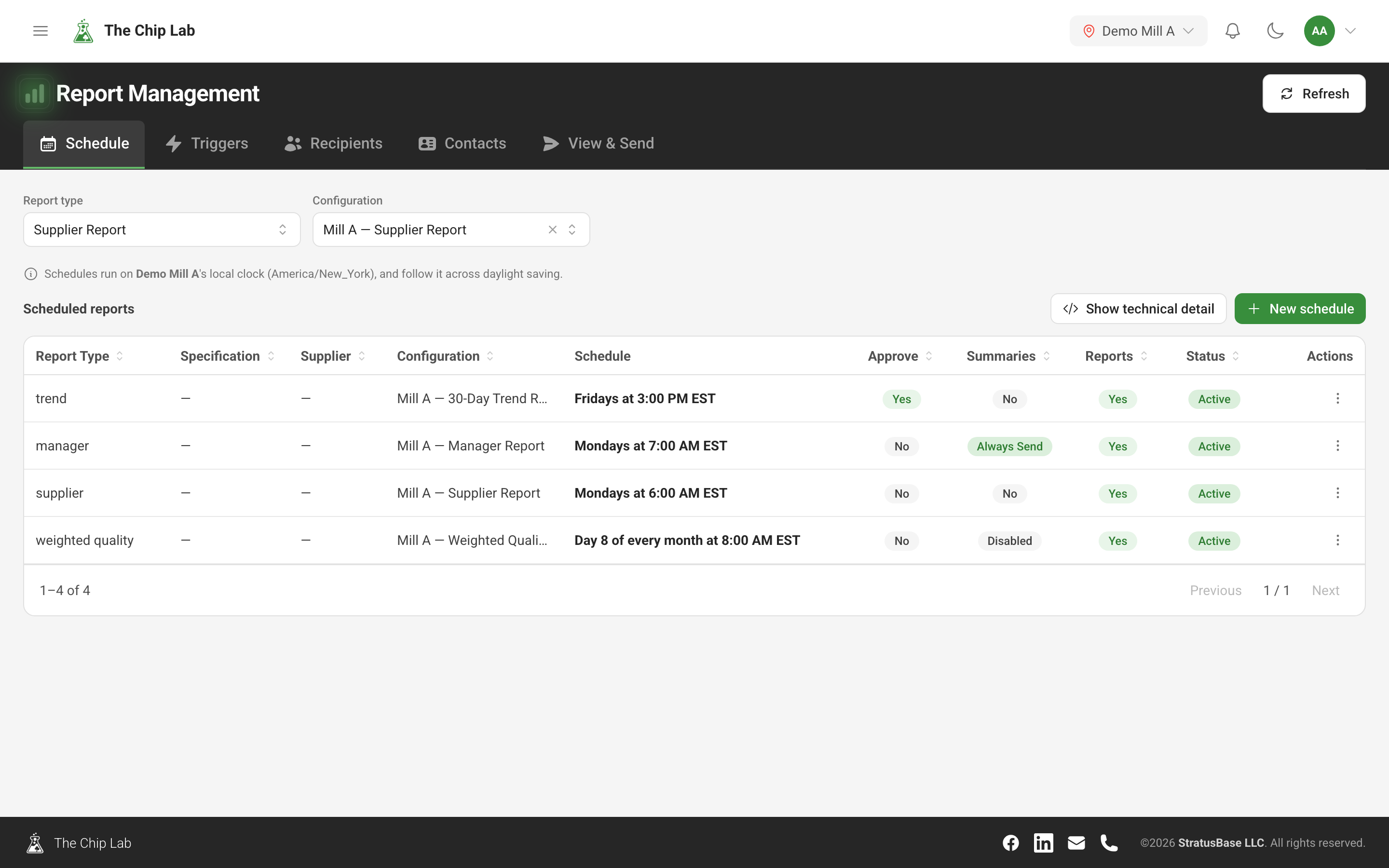
Have supplier, manager and trend reports built and emailed on a schedule or when a sample arrives. Set the time on your mill's clock, see who will receive each report before you save, and preview any report on screen.
Sample trends: read a supplier's samples over time
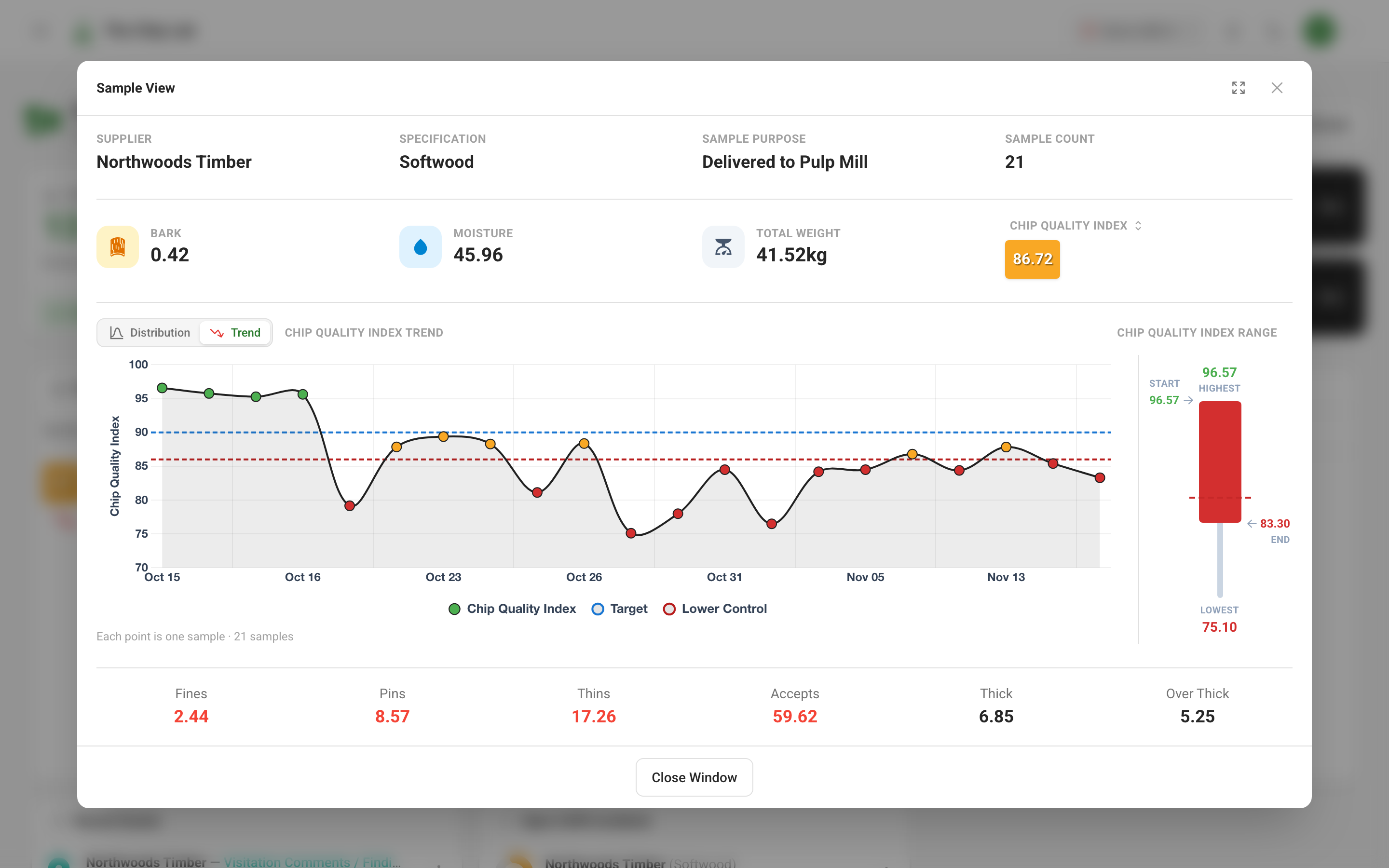
Open a priority supplier or a quality alert and see the samples behind the average — the distribution against target, the spread of readings, and each sample plotted over time against your specification. Chart a whole period by day, with events marked on it.
Sample review and approval: check chip samples before they count
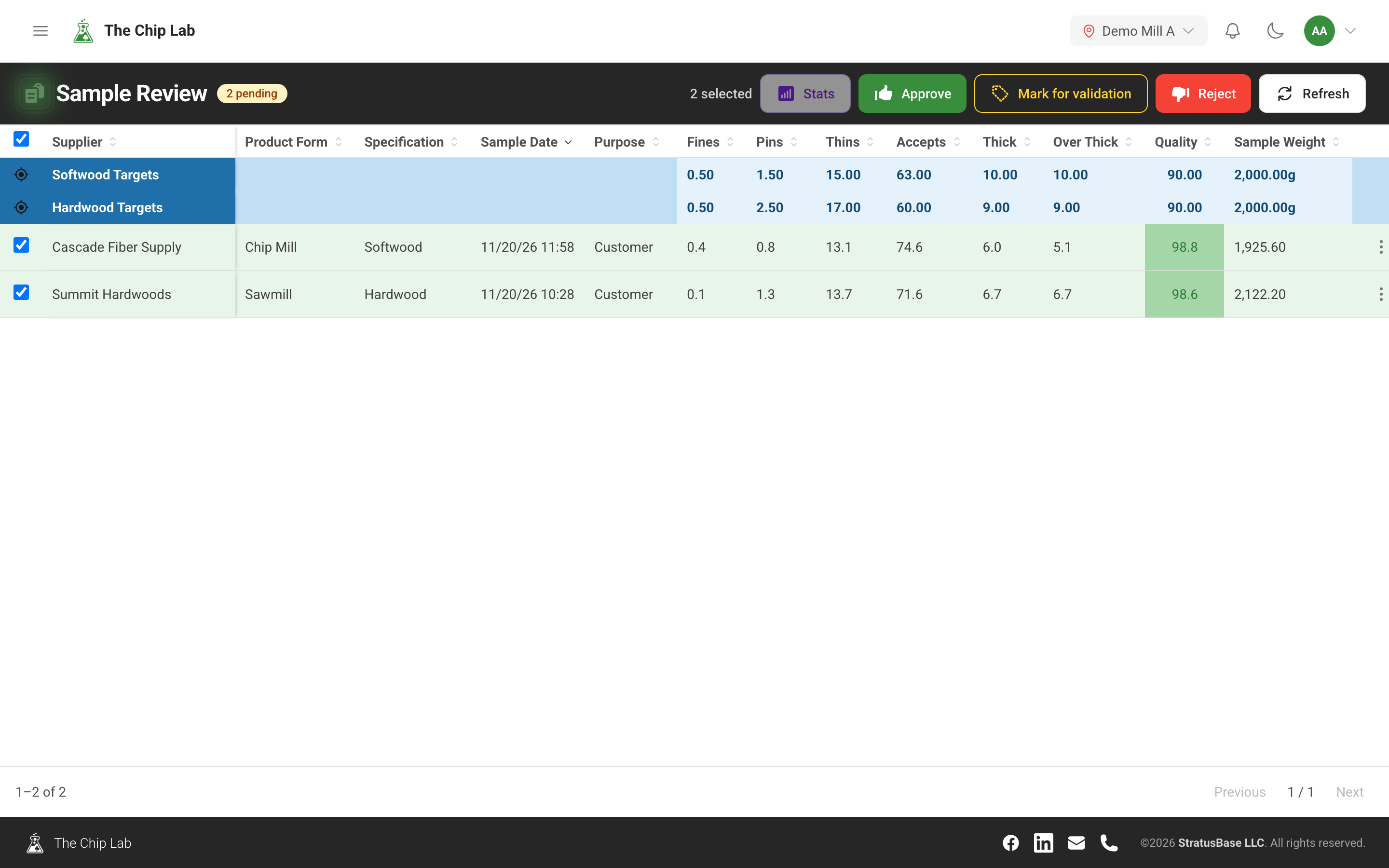
Hold new chip samples for a reviewer before they reach your averages, reports and alarms. Approve, correct or reject them in one queue, and tidy up live samples in bulk with Sample Management.
Chip quality reports: what each report shows
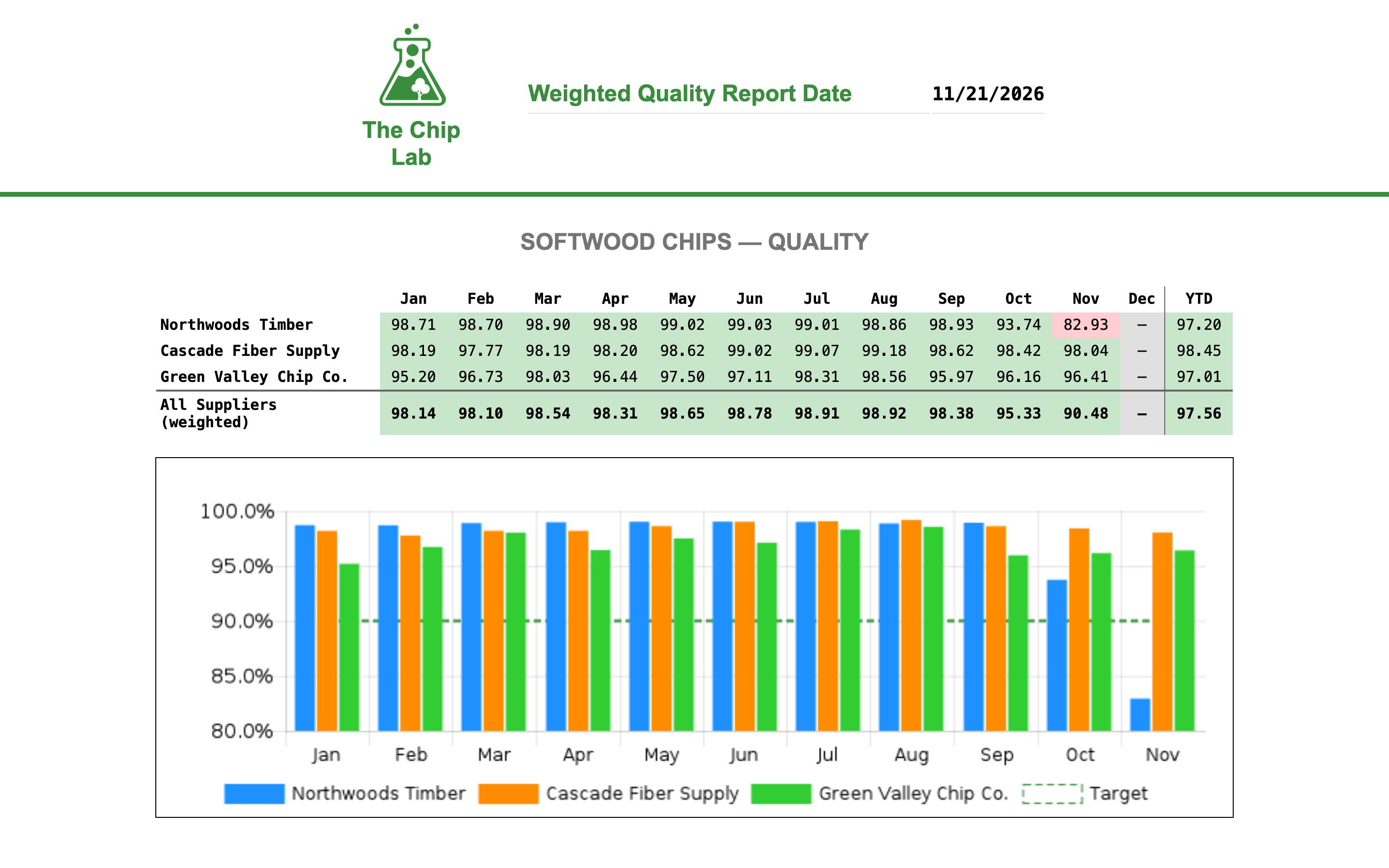
The supplier, manager, trend, sample and weighted quality reports a mill sends: who each one is for, what is on its pages, and how to read it.
Questionnaires: answer The Chip Lab's questions in the app
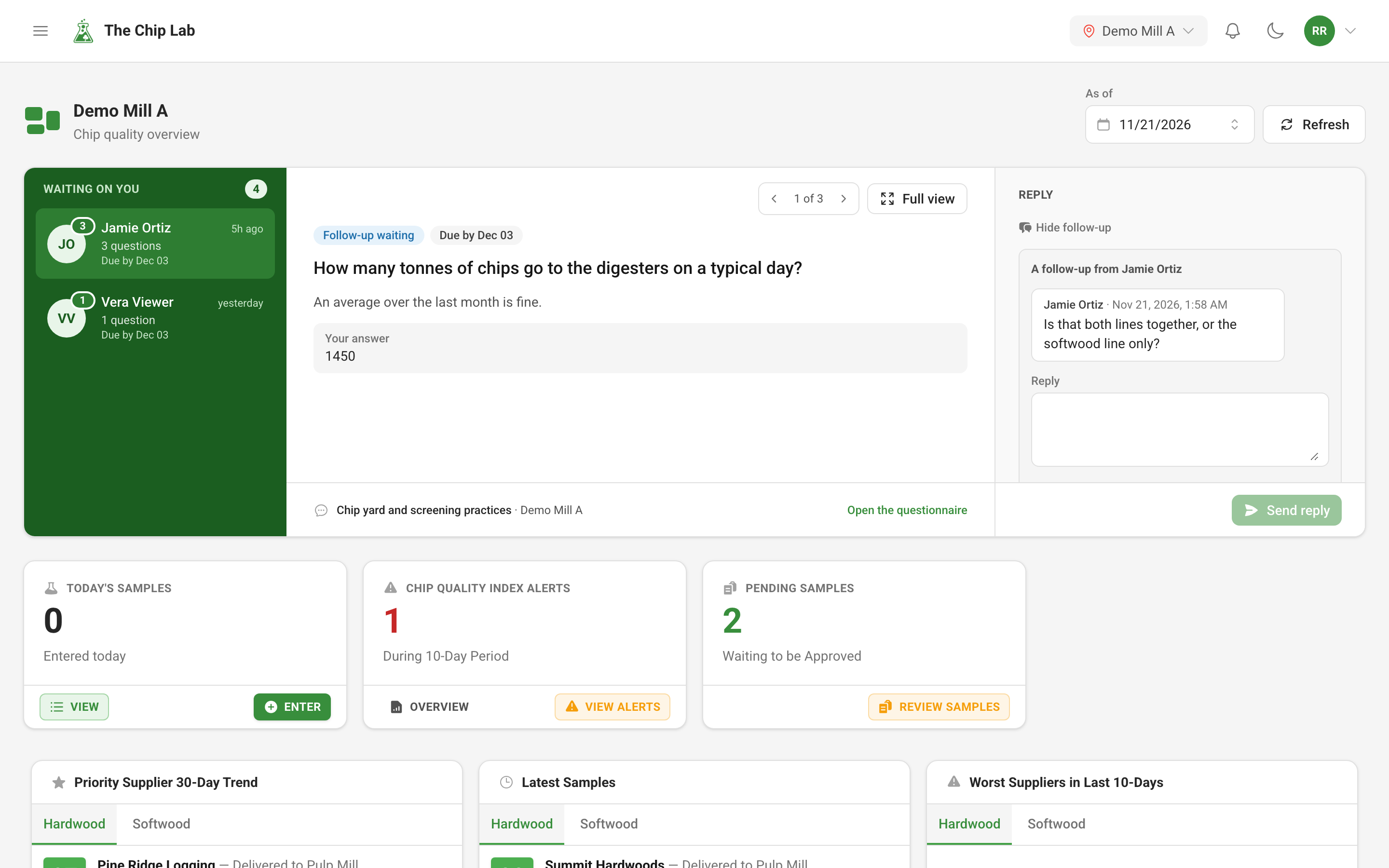
When The Chip Lab team needs facts from your mill, the questions arrive in the app. Answer them one at a time, attach a photo or a file, hand a question to the colleague who knows, and see when an answer has been confirmed.
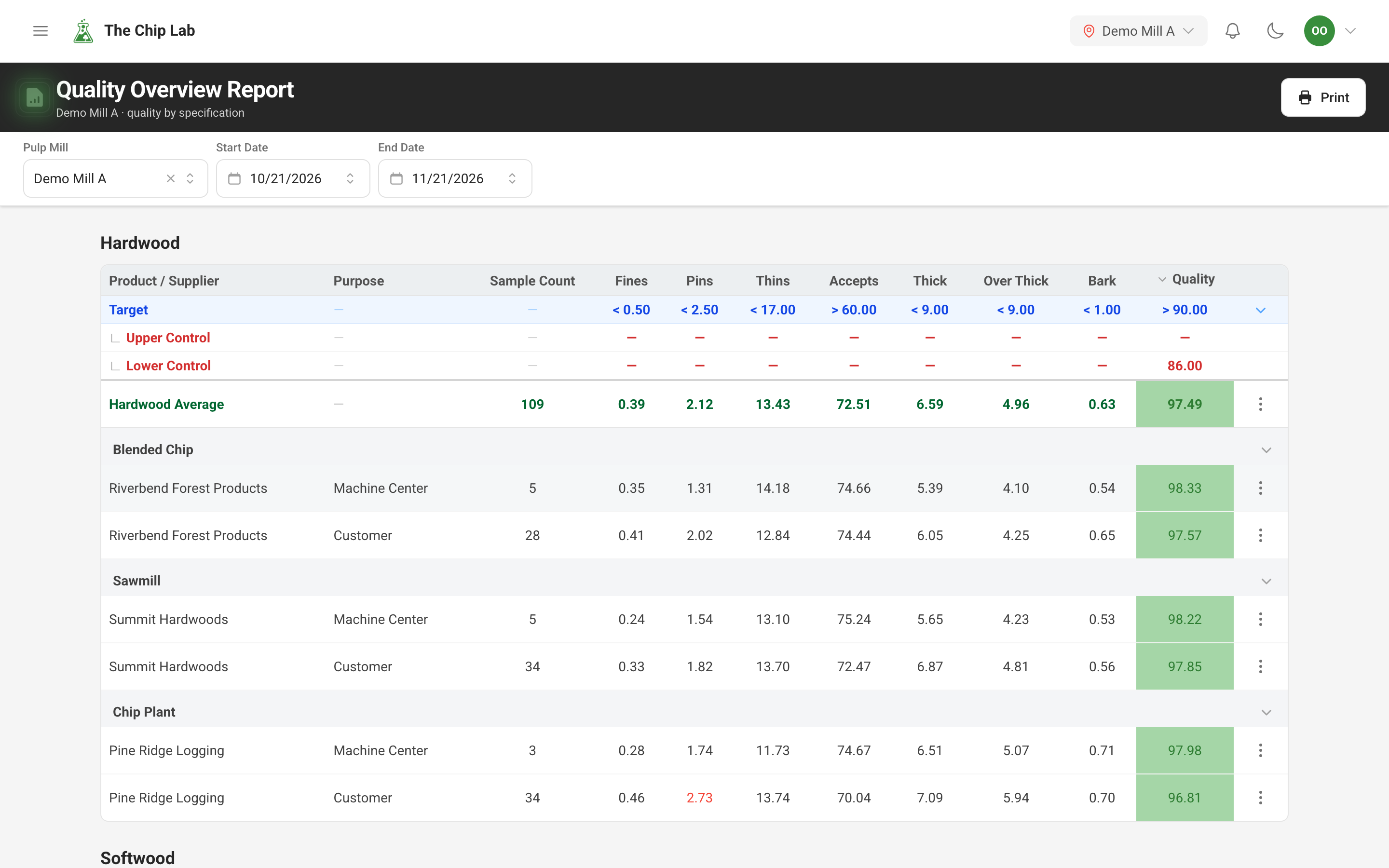
Supplier chip quality against target: overview and alerts
See every supplier's chips against your specification targets and control limits on one report, and get a short list of the suppliers whose recent average rates ok or poor.
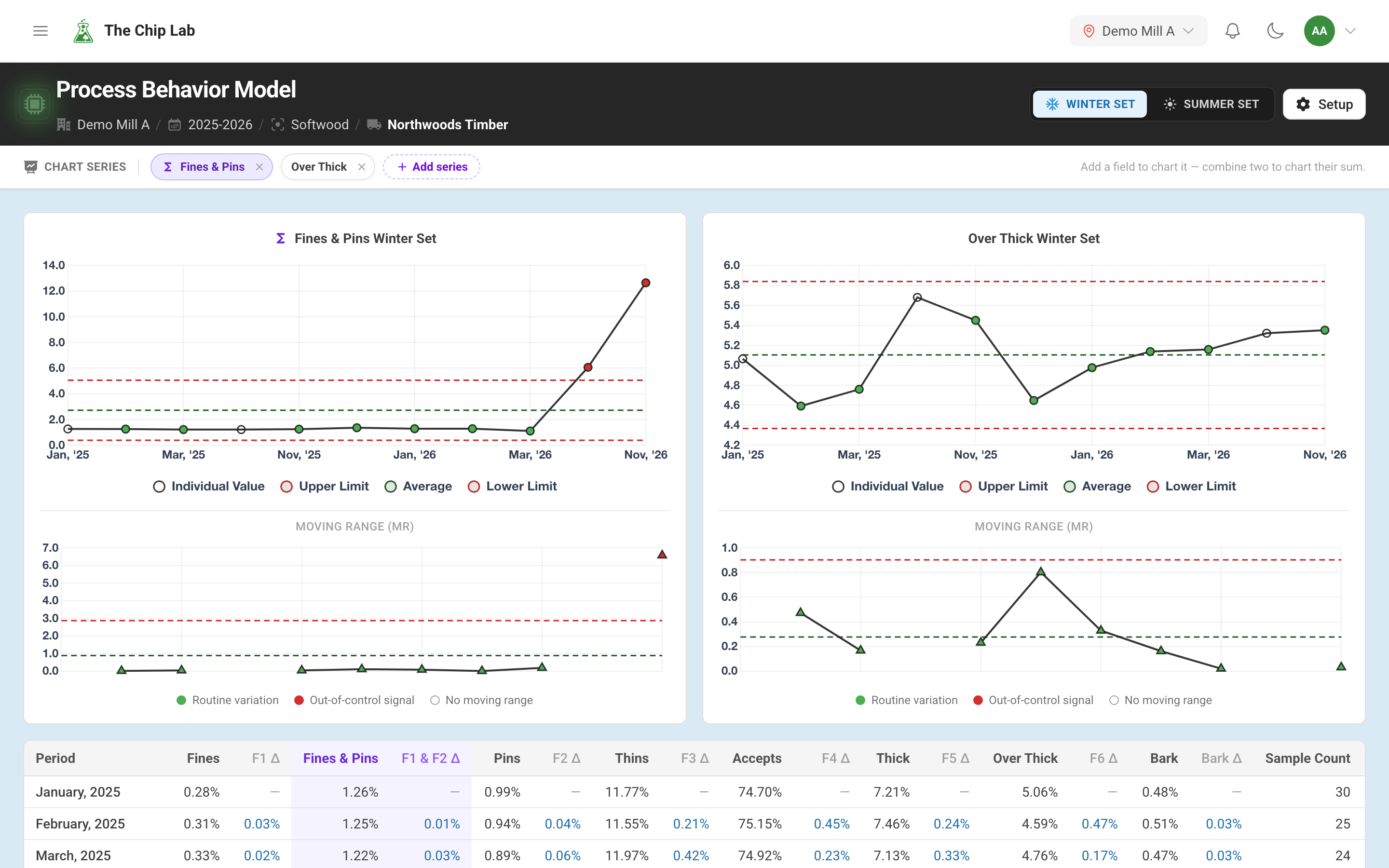
Process behavior charts: real shift or ordinary variation?
Chart a supplier's monthly chip results against their own natural limits, split into winter and summer, to tell a real change from the month-to-month noise every supplier has.
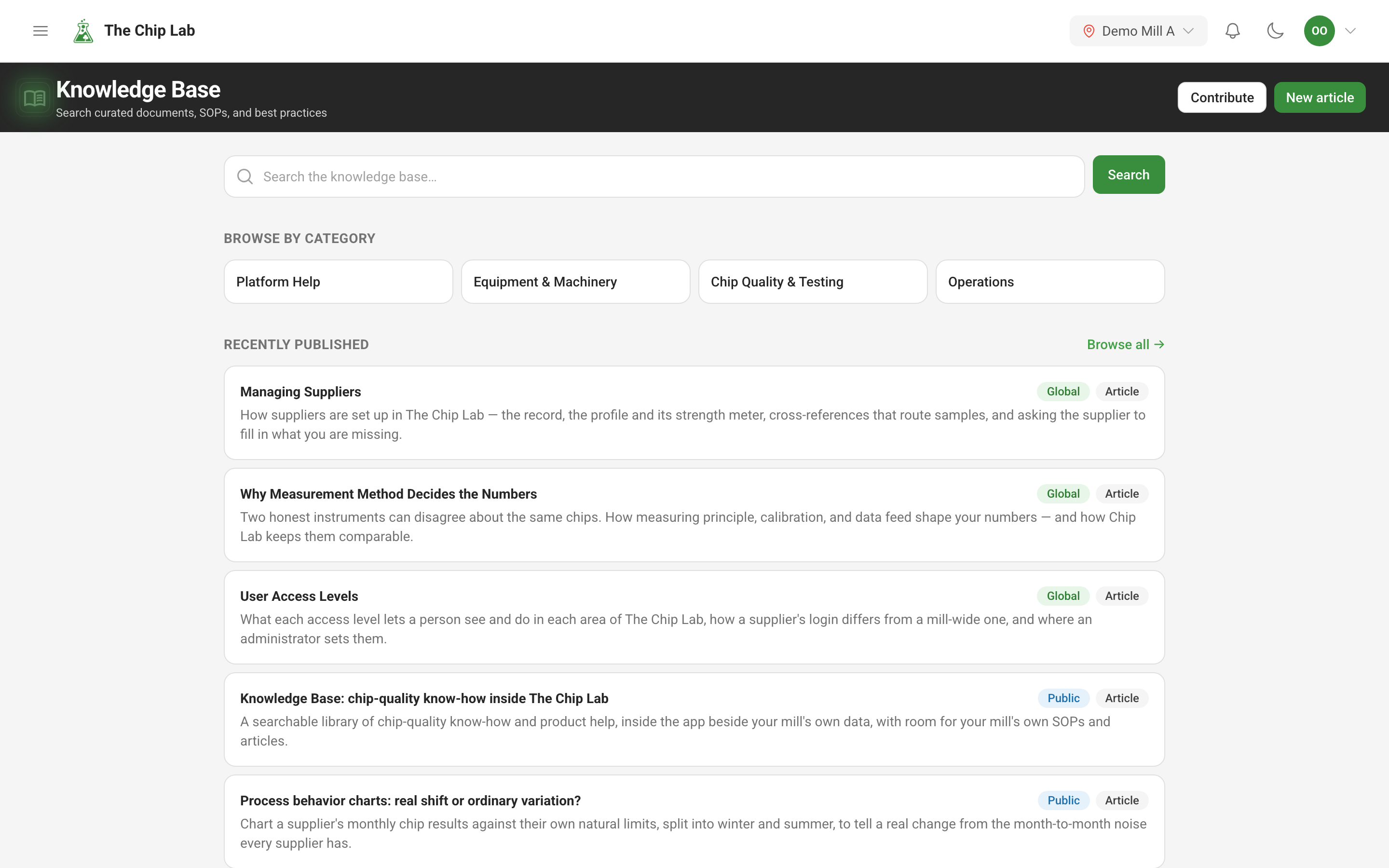
Knowledge Base: chip-quality know-how inside The Chip Lab
A searchable library of chip-quality know-how and product help, inside the app beside your mill's own data, with room for your mill's own SOPs and articles.
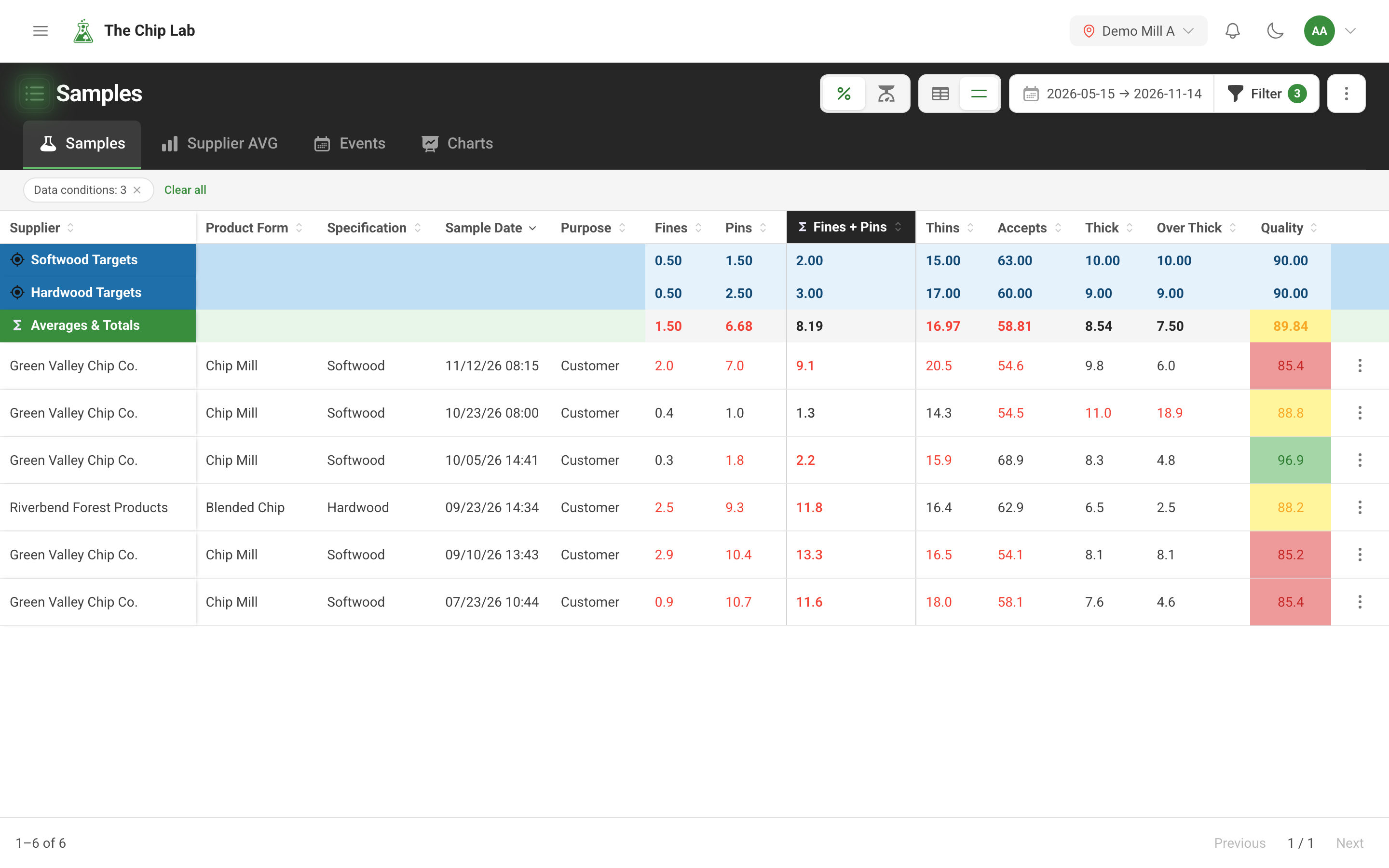
Finding samples: filter chip history by what was measured
Search years of chip samples by supplier, specification and date, then narrow them by the measured values themselves — combined fractions, spec targets, missing tests. Save a set as a sample group and discuss it with your team.
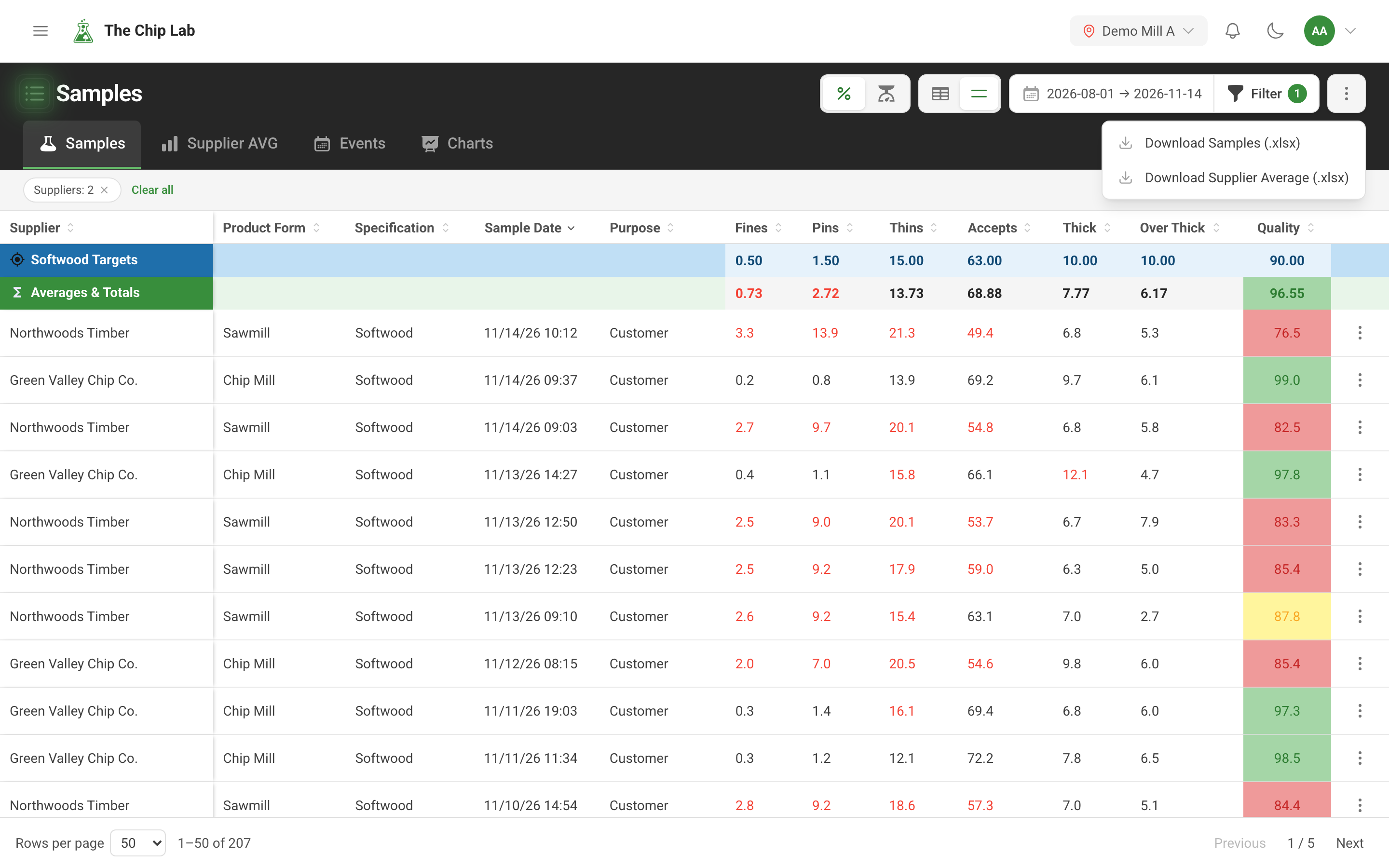
Exporting chip sample data and supplier averages to Excel
Download chip samples as an Excel spreadsheet — narrowed by supplier, date range, specification and data conditions — or download the averages per supplier, day, week or month.
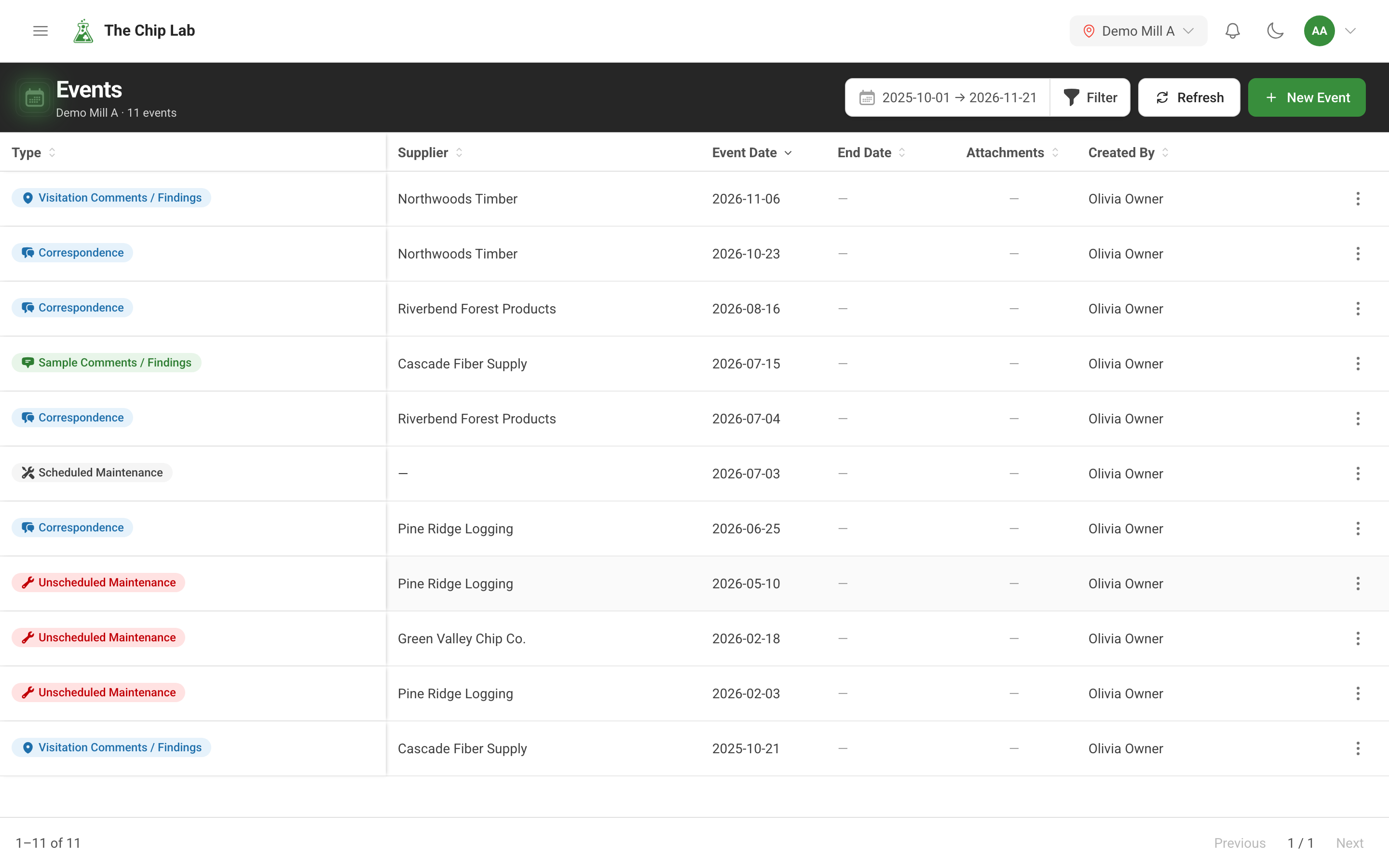
Log maintenance and supplier events beside your chip data
Record maintenance, equipment changes, site visits and supplier conversations as dated events, with notes and files, and see them as markers on your quality trend so you can line up what was done with what the chips did next.
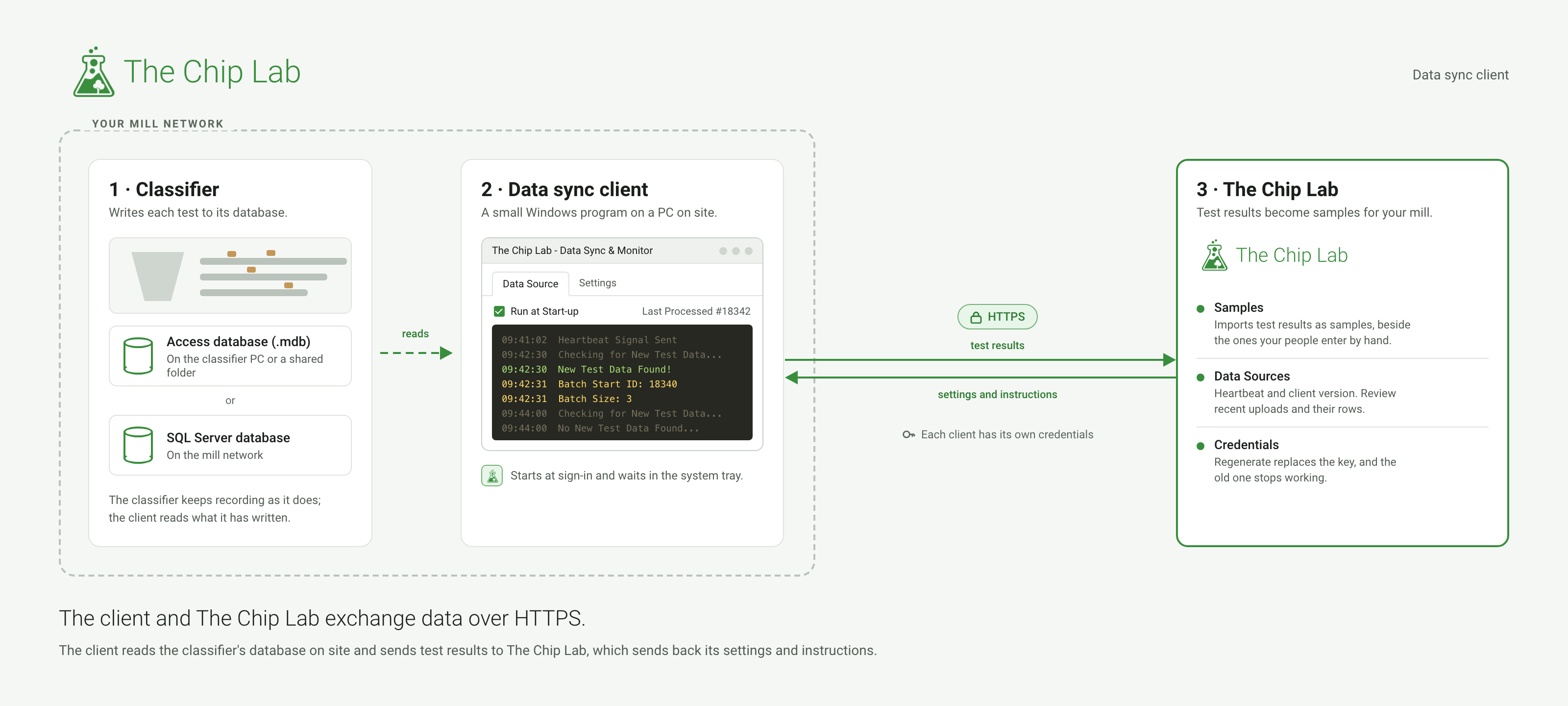
Data sync client: connect an on-site classifier database
The data sync client is a small Windows program that reads the results your chip classifier keeps in a Microsoft Access or SQL Server database and sends them to The Chip Lab over HTTPS, where they become samples.
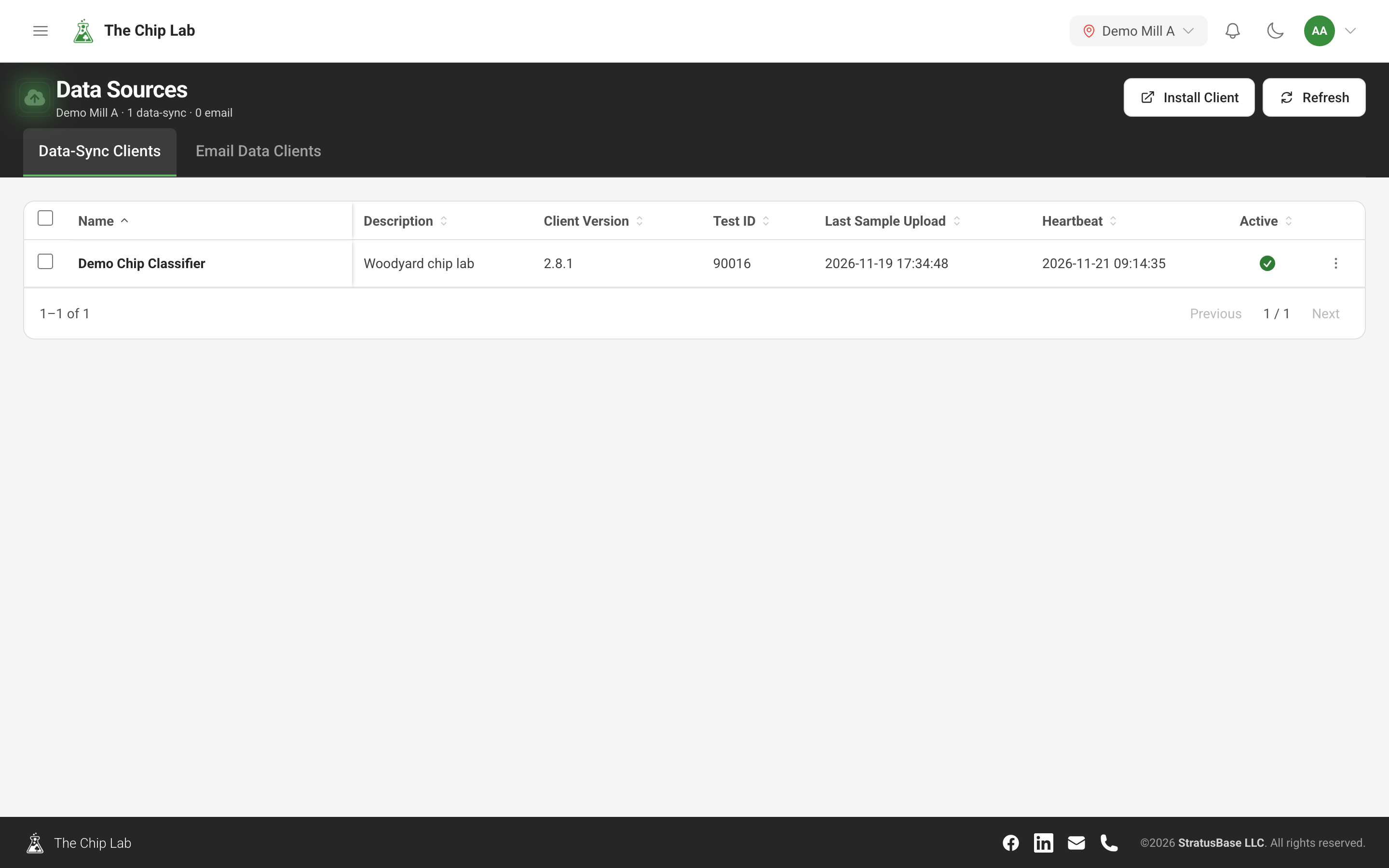
Chip classifier data sync: monitoring and backup
Connect an automatic chip classifier such as a Gradex or RADER and its samples arrive in The Chip Lab on their own. Data Sources shows when each classifier last checked in and last sent samples, what each upload contained, and when each of its tables was last copied to the cloud.
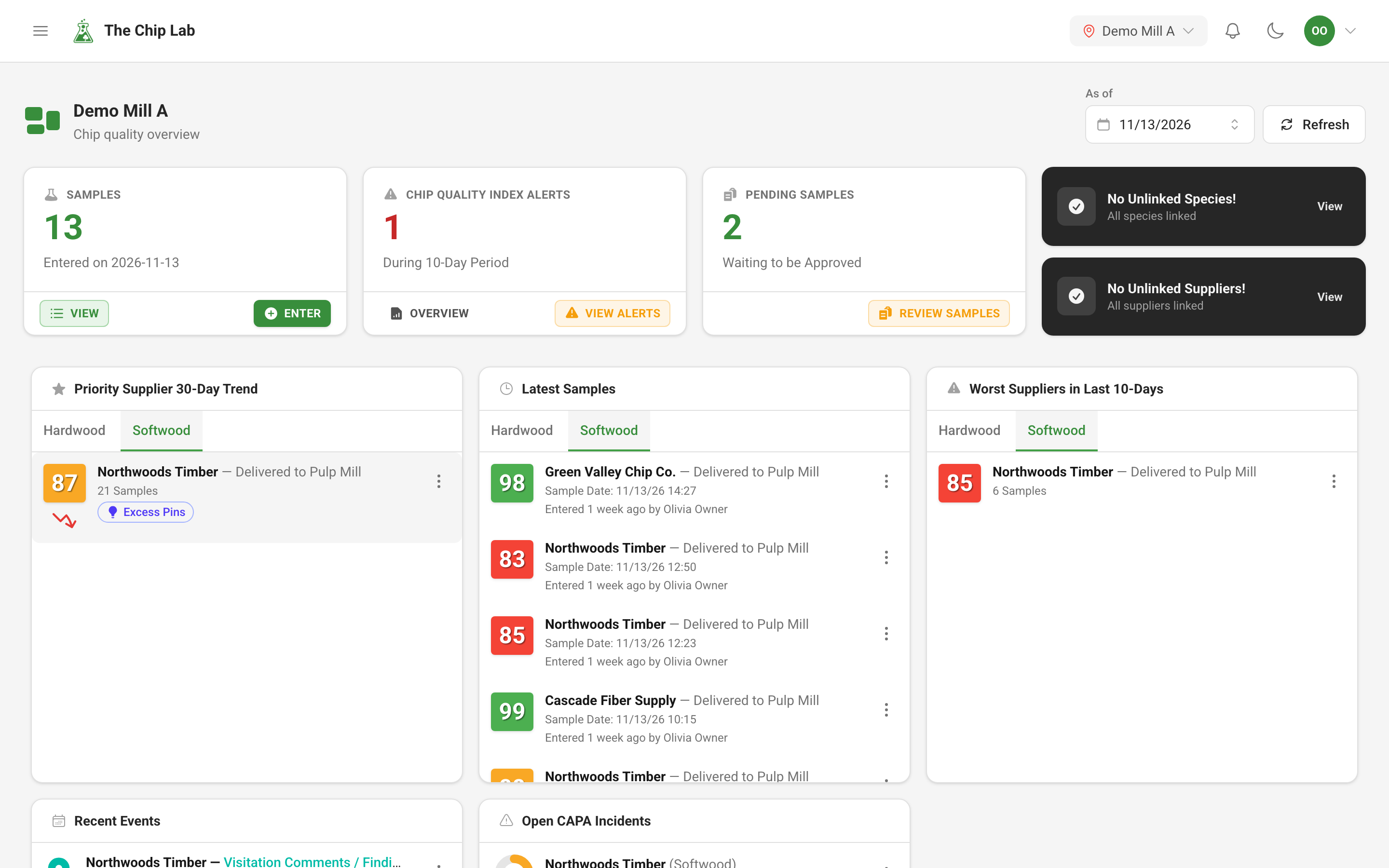
Mill dashboards for chip quality, on screen and on the wall
One screen that shows how today's chips compare with your targets, which suppliers need attention and what is waiting for review. Built for your mill, and it can run on a control-room TV.
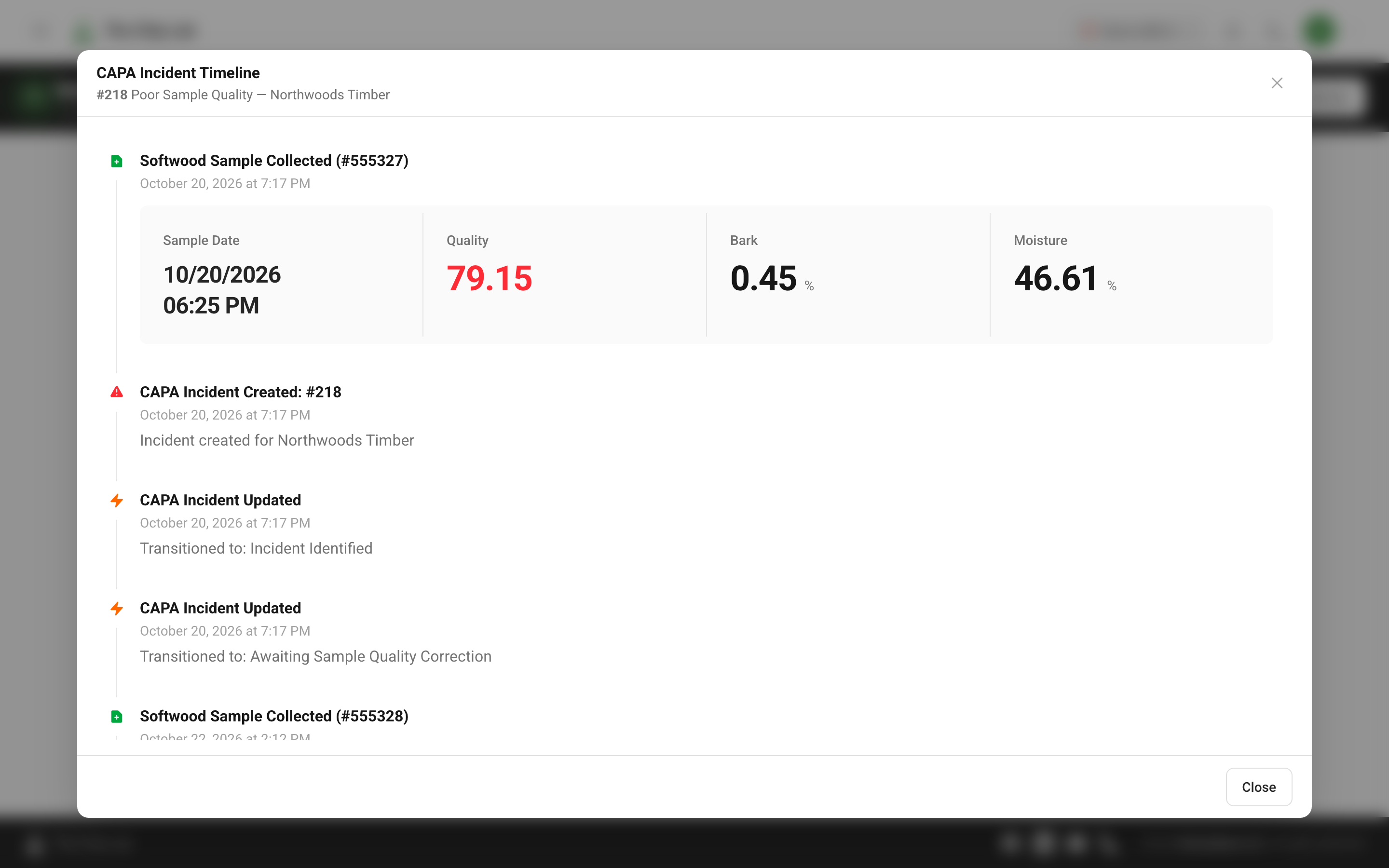
Corrective and preventive action (CAPA) for chip quality
With a typical workflow, when a supplier's chips fall below the line your mill set, an incident opens on its own, the right person hears about it, every step is recorded, and the incident closes when quality recovers.
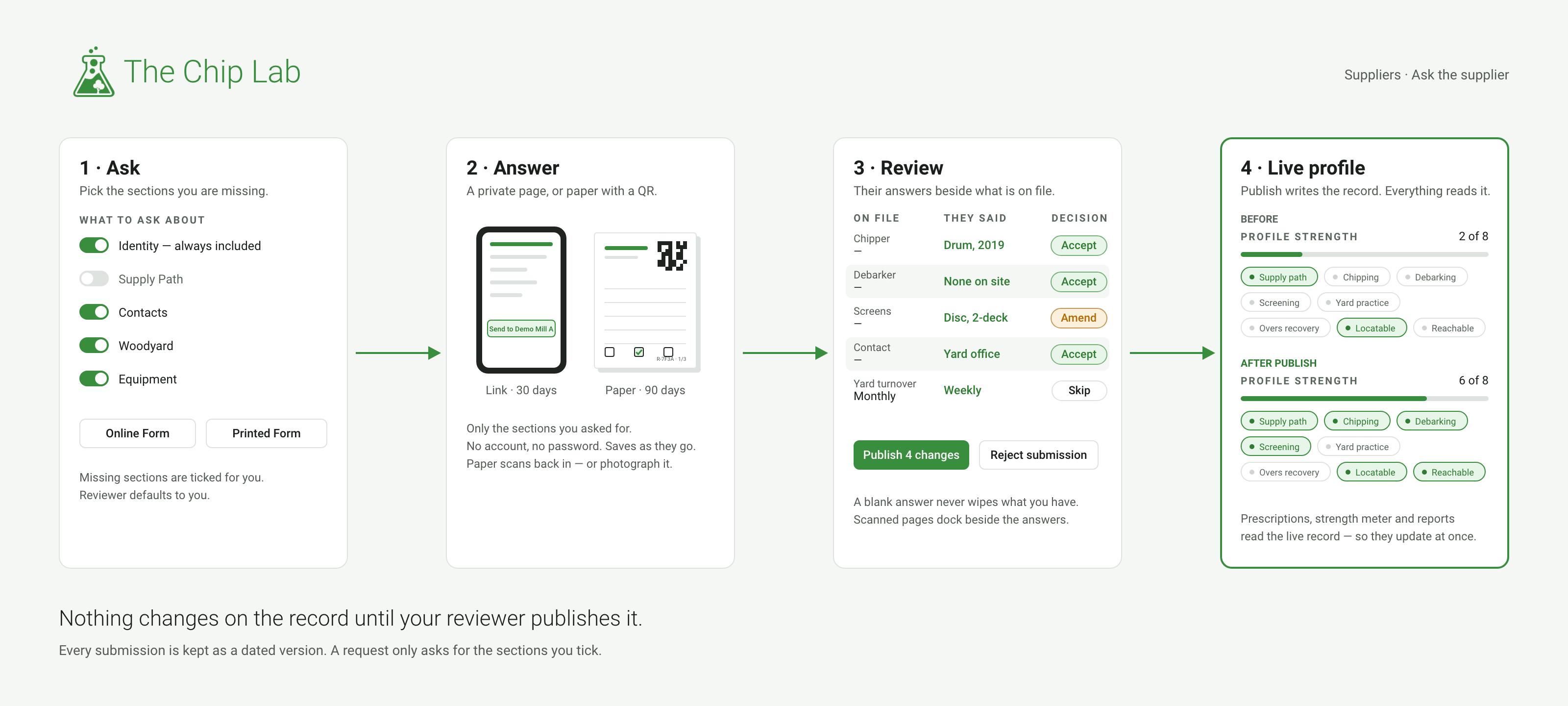
Ask the supplier: let your suppliers complete their own profile
Send a supplier a link or a printed form for the sections of their profile you are missing. Your mill reviews what comes back before it touches the live record.
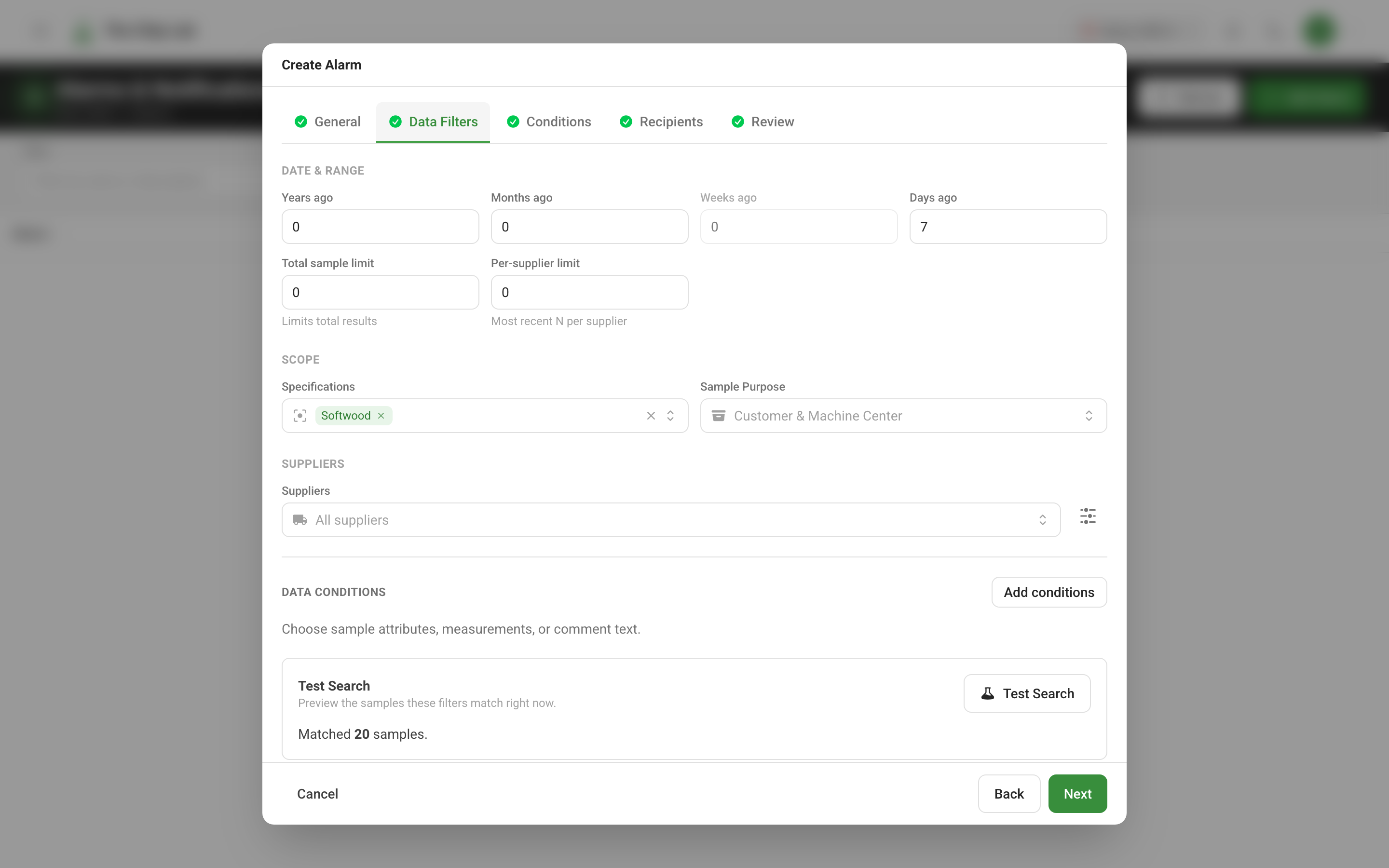
Chip quality alarms with email and in-app notifications
Set up alarms that watch your mill's chip samples — an average drifting past a limit, a specification or supplier sending too few samples — and notify your team by email and in the app when an alarm goes off and when it clears.