
Supplier logins: your suppliers see their own chip quality
A supplier who wants to know how their chips are measuring usually has to ask. Someone at the mill exports the samples, trims out every other supplier and emails a spreadsheet that is out of date by the time it is opened. The supplier waits, the mill spends the time, and the conversation about quality happens weeks after the loads.
The Chip Lab lets the mill give a supplier its own login instead. The supplier signs in to the same platform your team uses and sees its own samples, against your targets, whenever it wants.
What a supplier sees
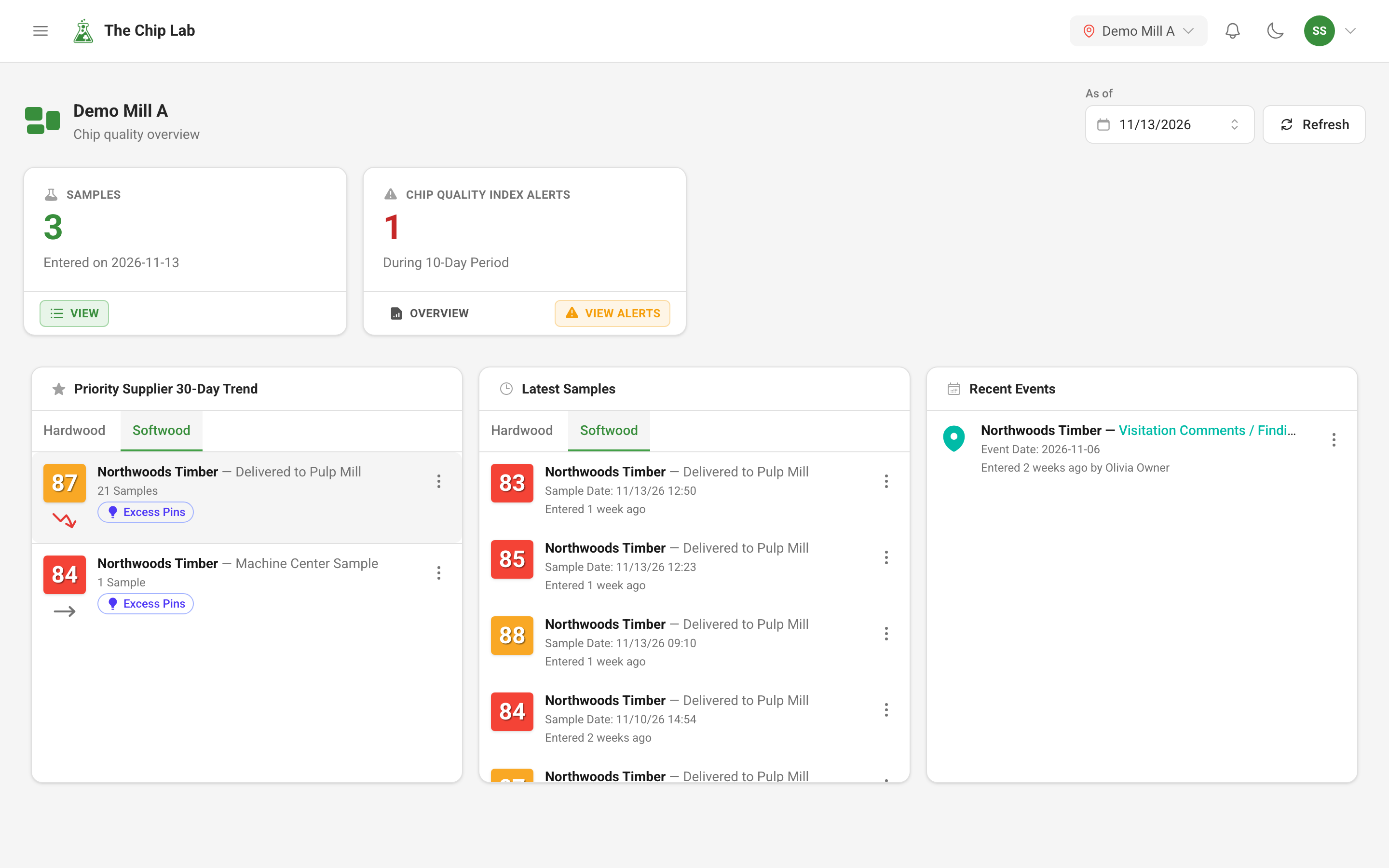
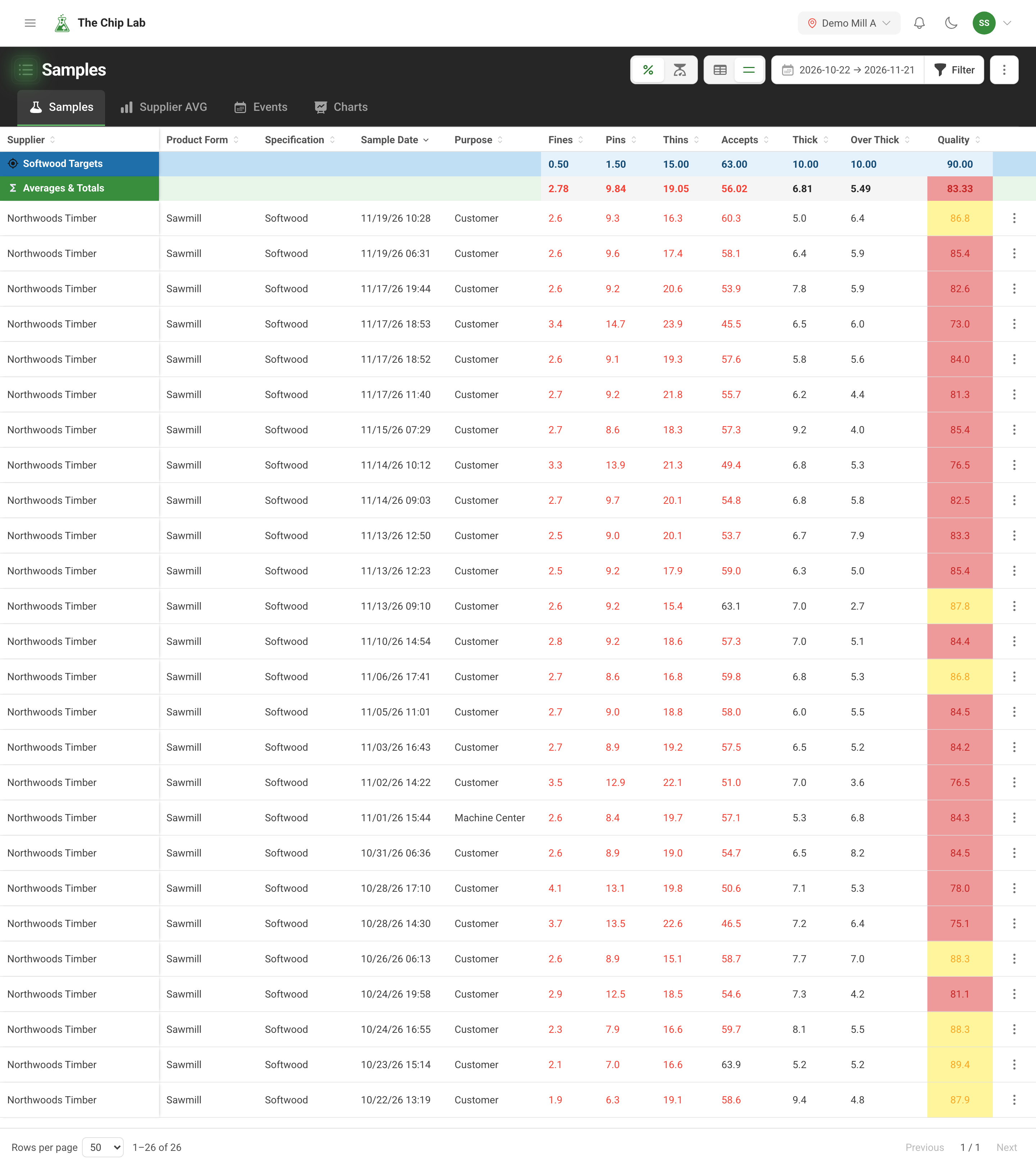
A supplier login is tied to one supplier, or to several, at your mill. A supplier login never sees another supplier's samples: the dashboards, sample lists and quality reports it opens are built from its own supplier's samples.
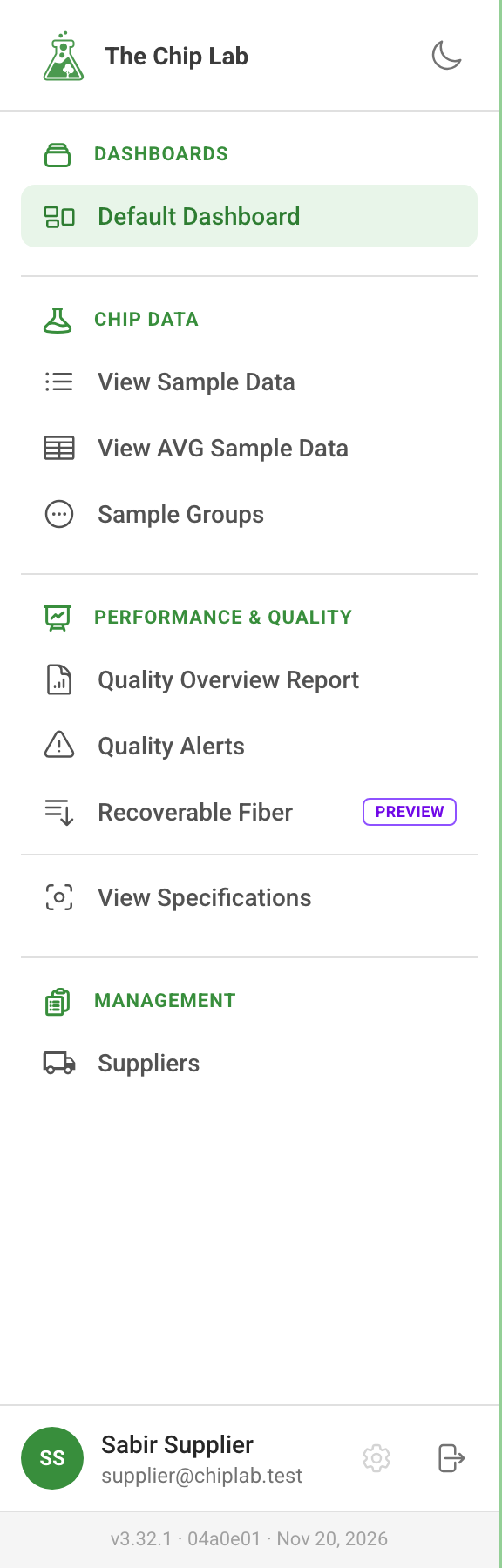
What appears in the menu follows the levels the mill sets. For example, a supplier login with view access to Chip Data, like the one pictured, sees:
- the mill's dashboard, with its tiles and charts built from the supplier's own samples;
- View Sample Data and View AVG Sample Data: the supplier's sample history and averages, with the same filters your team has;
- Sample Groups;
- Quality Overview Report and Quality Alerts: how the supplier is doing against your specifications;
- Recoverable Fiber, a preview;
- View Specifications: the targets the supplier is measured against.
A supplier login can view a supplier group, read-only, when it has access to every member of the group.
Entering samples and events
Give the login Chip Data at contributor or above and Manual Sample Entry and Enter Events appear, so a supplier can record its own samples and events. A login set up for a supplier changes only its own entries (at Manager, any sample of that supplier) and never approves: review stays with the mill.
Keeping its own record current
A supplier login can keep its own supplier record, contacts and equipment up to date, and send its own profile form, when its Suppliers level allows it. Returned profile forms are reviewed at the mill. Suppliers can also complete their profile without a login at all; see Ask the supplier.
What stays with the mill
Managing scheduled reports, the people with access, financial data, alarms, data sources, creating suppliers or supplier groups, CAPA settings, the mill's own equipment and reviewing profile forms all need a mill-wide login.
The reports a supplier receives by email do not need a login: they go to the supplier's contacts on the schedule your mill sets. See Scheduled chip quality reports by email.
Giving a supplier a login
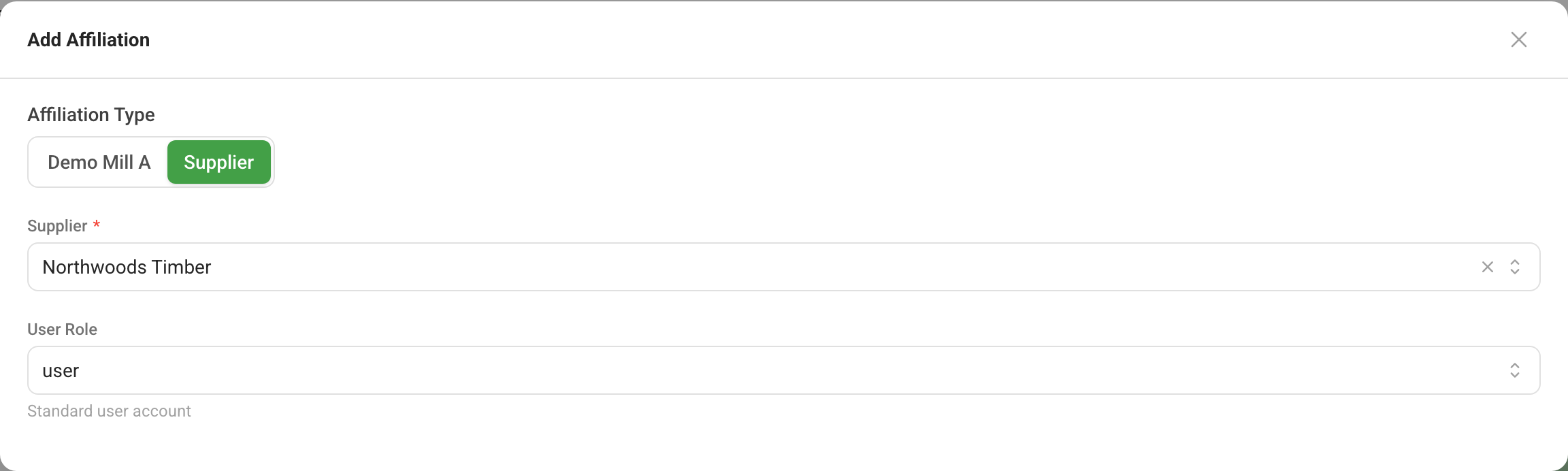
The mill sets it up in Users & Permissions, under Management in the sidebar. When adding the person's access, the mill chooses Supplier as the Affiliation Type, picks the Supplier, and sets the User Role and a level for each area. The dialog says, under each level, what it allows. More suppliers can be added to the same person later.
Users & Permissions is in the menu for an account Owner or Admin whose Users level is manager or above. Nobody gives a level above their own.
Read next
- Users and permissions — how a login's access is set.
- Supplier management — the supplier record a login is tied to.
- Ask the supplier — let suppliers complete their own profile.
- Sample review and approval — the mill's review of entered samples.