
Questionnaires: answer The Chip Lab's questions in the app
Setting up reports, a certification export or a new dashboard often starts with questions only your mill can answer: how the yard runs, which screens are on the main line, what happens to oversize chips. Asked by e-mail, those questions scatter across inboxes, the answers come back in three different threads, and nobody is sure which version is current.
Questionnaires keep the questions and the answers in one place in The Chip Lab. The Chip Lab team writes and sends them; the people at your mill they are addressed to answer in the app, at their own pace, and can see at any time what they have sent and what is still open.
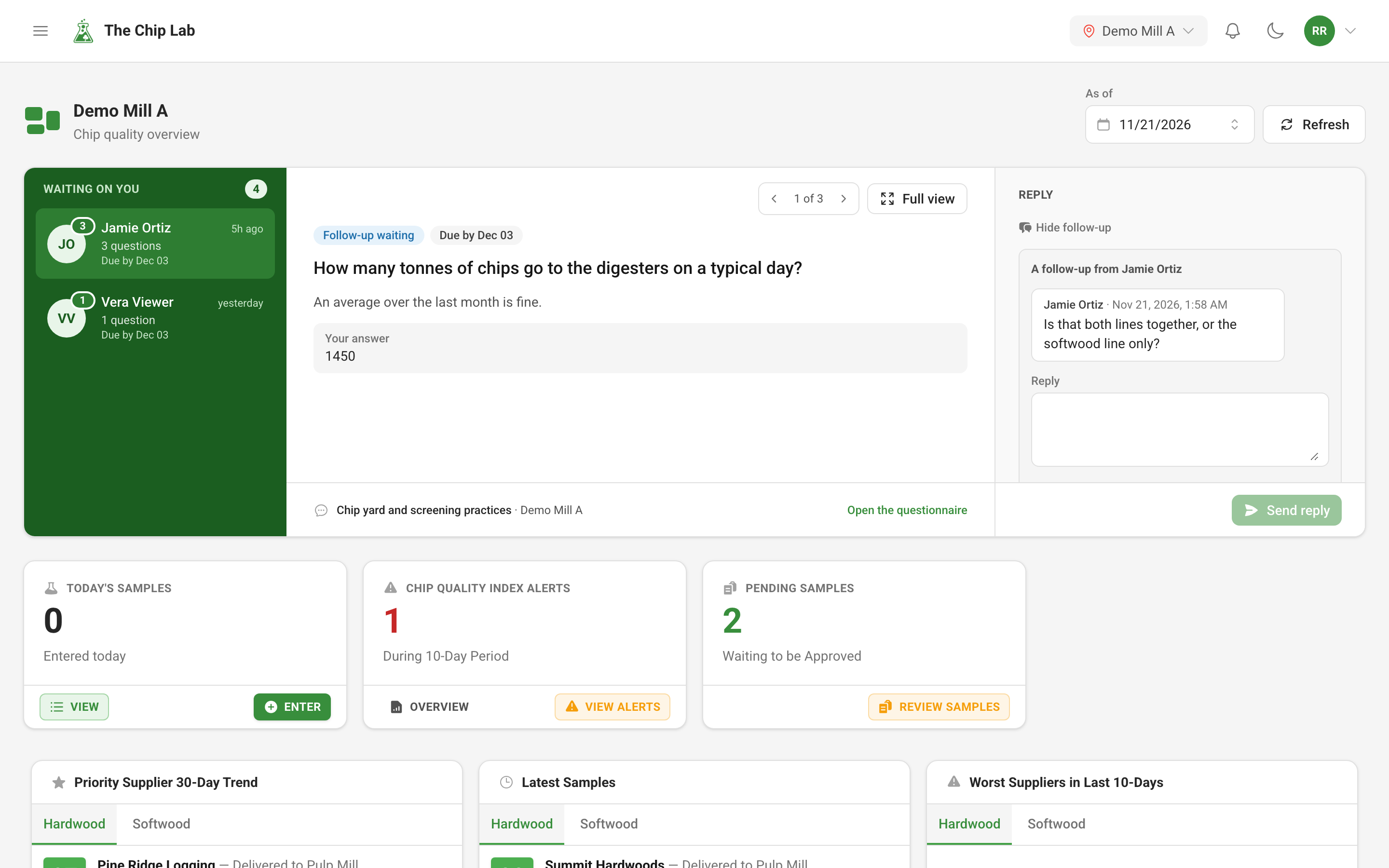
Where questions show up
You are told when a questionnaire is sent to you, in the app's notifications and by e-mail. While anything waits on you, the top of your dashboard carries a Waiting on you banner: on the left, who is waiting — The Chip Lab team, or a colleague who handed you a question — newest first; on the right, the question itself, which you can answer or reply to right there. If the questionnaire has an answer-by date, each sender's count is colored by how close it is. When nothing is waiting, the banner is not there. Open the questionnaire goes to the full page.
Questionnaires are built and sent only by The Chip Lab team. Your mill does not create them; you answer the ones addressed to you. Someone without a login can be sent a private link instead, and answers on a page of their own.
Answering
The questionnaire page opens with the team's introduction, how many of your questions are answered, how many need your attention, and the date to answer by.
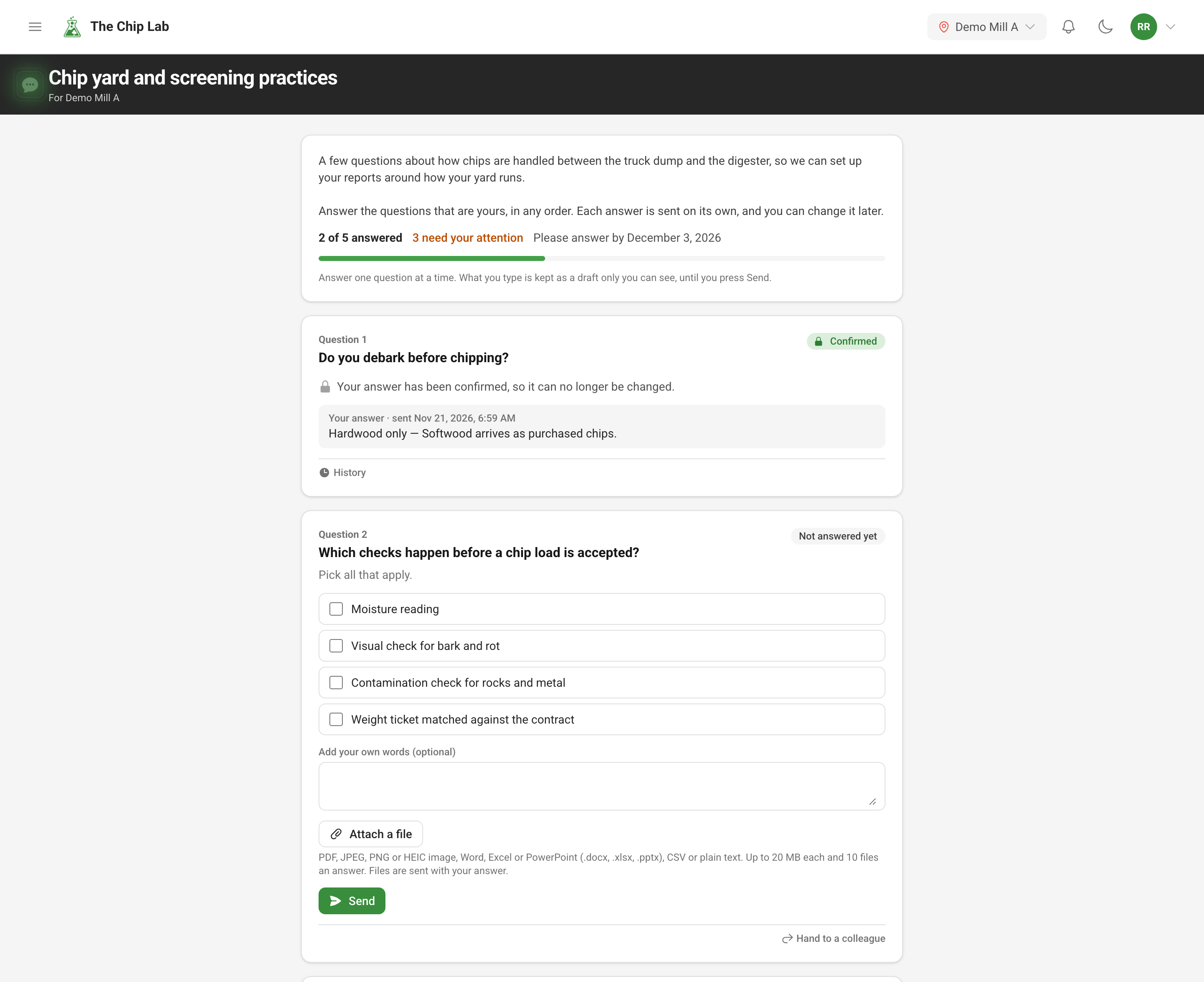
Each question is answered on its own. A question may offer choices, with room to add your own words, or ask for text, a number or a date. What you type is kept as a draft only you can see until you press Send, so you can start one day and finish the next. Attach a file adds photos or documents to an answer: PDF, JPEG, PNG or HEIC images, Word, Excel or PowerPoint files, CSV or plain text, up to 20 MB each and ten files an answer.
A sent answer can still be changed with Change my answer, and History shows every version you sent. If the team rewords a question after you answered, the answer is marked Please check, so you can press My answer still stands or send a new one.
When a question belongs to someone else, Hand to a colleague passes it to another person on the questionnaire, with a note. The question then shows on their page and in their banner as handed to them by you.
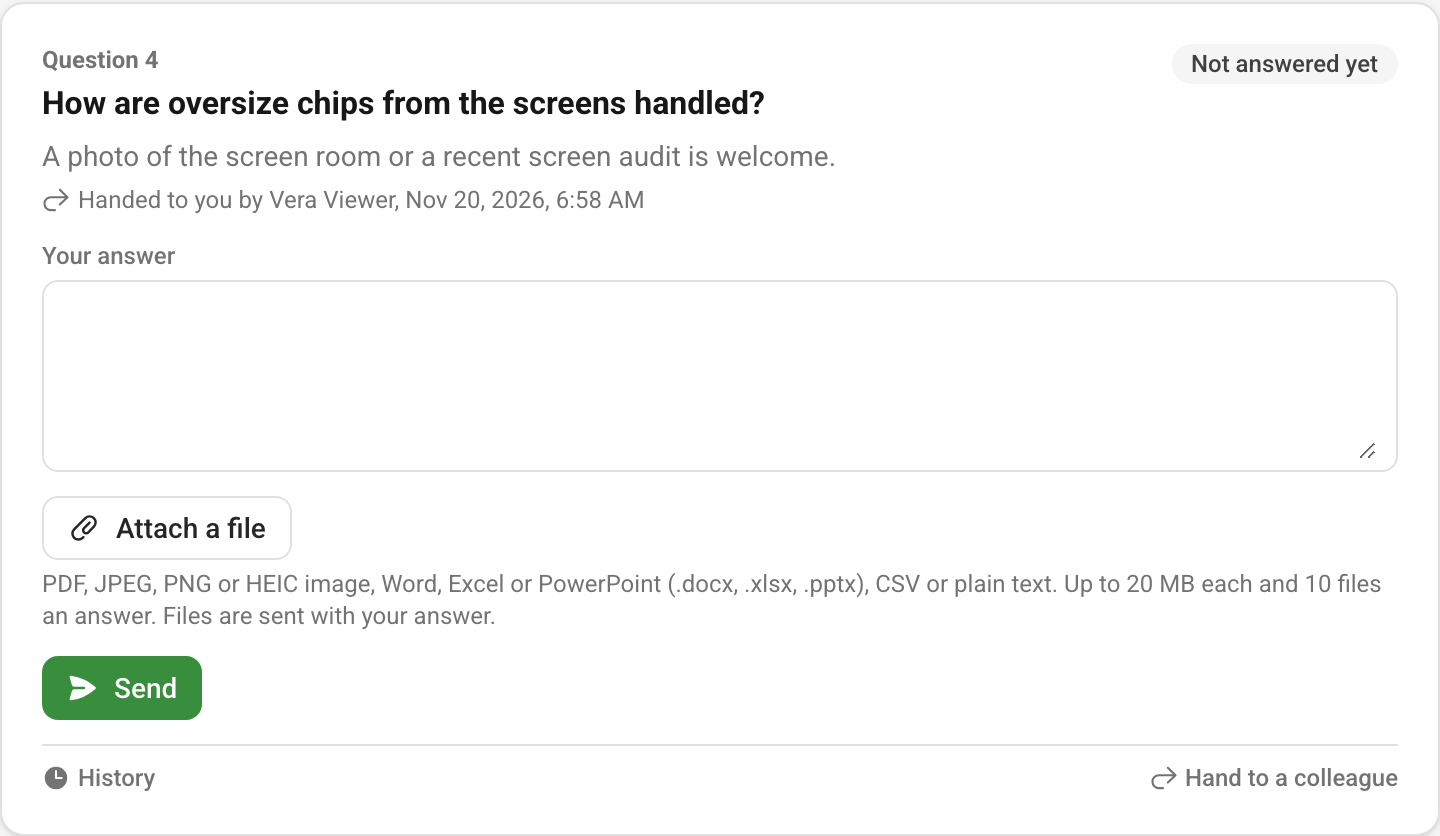
The team can also give a question to particular people to answer. That decides who is asked, not who can see it: when the team turns sharing on, other signed-in colleagues from your organization on the same questionnaire can read your sent answers, and a question they were not given still shows, read-only, beside a colleague's shared answer. Drafts and attached files are never shared. An answer sent before sharing was last turned on stays private until you send it again under the sharing notice, and each sent answer says whether colleagues can read it.
After you send
The Chip Lab team reads each answer as it arrives. Three things can come back:
- Confirmed — the answer is accepted as it stands and can no longer be changed.
- A follow-up — a question about your answer. It appears beside the answer and in your banner, and you reply in the same place.
- Reopened — please check — the team asks you to look at an answer again and send it once more.
When a questionnaire is closed, its answers can still be read but no longer changed.
Read next
- Mill dashboards — where the Waiting on you banner sits.
- Ask the supplier — the questions you send to your own suppliers.